
How to Present a Product Catalog on a Corporate Website

A corporate website product catalog presents a company's product groups, technical specifications, and applications in a clear structure. A well-planned catalog helps potential customers evaluate products and submit quotation requests.
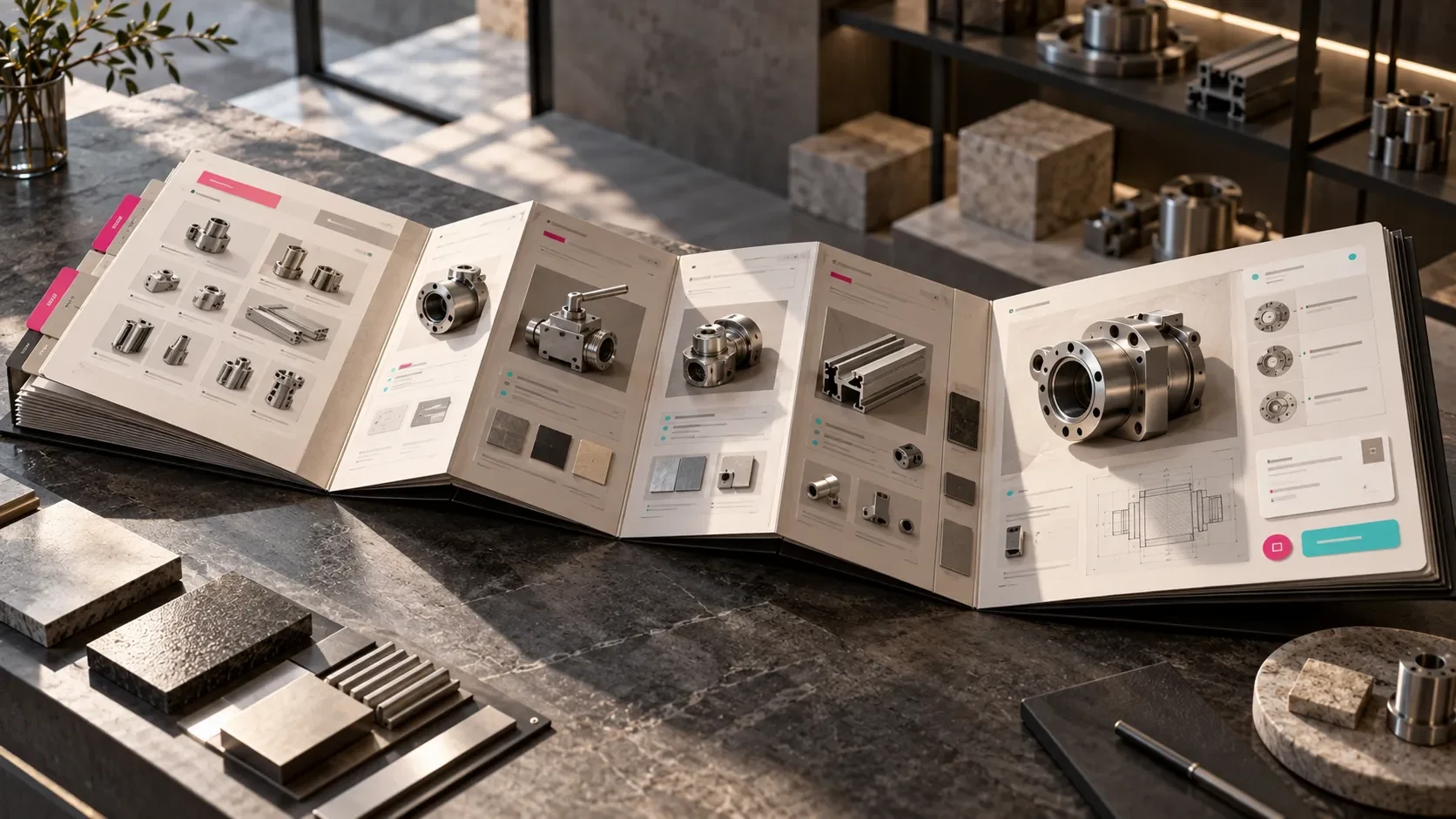
For companies that develop, manufacture, or distribute products, a corporate website is an important digital channel for presenting their product portfolio to potential customers.
Especially in manufacturing, industrial equipment, building materials, automotive components, machinery, furniture, and technical equipment sectors, customers often want to examine products in detail before making a purchasing decision.
A procurement specialist may search for a product code, an engineer may compare technical dimensions, a distributor may evaluate a product family, or a project manager may research options suitable for a specific application.
A corporate product catalog that addresses these needs brings together category structures, product details, technical documentation, images, and quotation request processes.
A well-structured product catalog makes a company's portfolio easier to understand while helping potential customers find the right products and contact the appropriate sales team.
A well-planned corporate product catalog transforms a company's product information into a digital experience that supports customer research and purchasing decisions.
In this article, we explore how a product catalog should be structured on a corporate website, how technical product information should be presented, and how document management, SEO, and B2B quotation processes should be planned.
Why Is a Product Catalog Important on a Corporate Website?
A corporate product catalog is a digital content area where a company presents its products in an organized way and shares relevant technical information.
Particularly in B2B sales processes, customers need different types of information to evaluate products.
A technical procurement specialist may examine dimensions, materials, and compatibility information, while another customer may research product variations, applications, or differences between available models.
The catalog structure on a corporate website can bring these needs together within a single content architecture.
What does a well-planned product catalog provide?
Clear presentation of the product portfolio
Easy navigation between product families and categories
Quick access to technical specifications
Search by product code
Comparison of similar products
Downloadable PDF catalogs and technical documents
Discovery of products for different applications
Product-specific quotation requests
Access to current product information for sales teams
Multilingual content for international customers
For example, a company manufacturing hundreds of industrial fasteners may classify its products by material, connection type, dimensions, and application.
This allows customers to reach the relevant product group, examine suitable options, and submit a quotation request containing the necessary technical information.
We explore the broader website requirements of manufacturing companies in How to Plan a Corporate Website for Manufacturing Companies.
What Is the Difference Between a Corporate Product Catalog and an E-Commerce Catalog?
Corporate product catalogs and e-commerce catalogs may use similar product data. However, the actions visitors want to complete can differ.
On an e-commerce website, customers typically add products to a cart, make a payment, and place an order.
On a corporate website, visitors may evaluate a product's technical suitability, download documentation, request additional information from the sales team, or submit a quotation request for bulk purchasing.
Which sales models can use a corporate catalog?
Manufacturing companies: They can present product families, technical specifications, and manufacturing capabilities.
Distributors: They can showcase the brands they represent, available models, and technical catalogs.
Custom manufacturers: They can display product examples and manufacturing options while collecting project-based quotation requests.
B2B suppliers: They can make extensive product portfolios accessible through product codes, specifications, and categories.
Architectural and building product companies: They can present collections, materials, dimensions, and application images.
Some businesses may combine corporate catalog functionality with online purchasing features within the same platform.
This decision should be based on the pricing structure, customer groups, ordering model, and commercial objectives of the company.
How Should Product Categories Be Created?
Category architecture forms the foundation of a corporate product catalog.
The category structure should reflect how visitors search for and group products.
Products can be organized by technical characteristics, applications, materials, product families, or industry classifications.
Which category structures can be used?
Classification by product family
For example, an industrial equipment company may use:
Valves
Fasteners
Measuring Instruments
Control Equipment
Classification by application
A building materials manufacturer may use:
Interior Applications
Facade Systems
Flooring Solutions
Insulation Systems
Classification by material
A metalworking company may use:
Stainless Steel Products
Aluminum Products
Brass Components
Special Alloy Components
Classification by industry
A manufacturer's products may be associated with industries such as:
Automotive
Energy
Machinery
Food Manufacturing
Construction
A product can belong to more than one category or application.
For this reason, the content management system should also define how these relationships are stored.
How many category levels should be used?
Category depth should reflect the size of the product portfolio.
For example:
Product Group → Product Family → Series → Product Detail
This hierarchy can help users understand their location within large technical catalogs.
When planning product groups, companies should consider both their internal terminology and the search terms customers actually use.
We explore the fundamentals of category architecture in How to Plan Category Structure for an E-Commerce Website.
How Should Product Listing Pages Be Designed?
A product listing page allows customers to view products belonging to a particular category.
Its structure should reflect the type of products and the information visitors need when making decisions.
For some industries, product images are the primary decision factor. For technical products, product codes, dimensions, or material information may be more important.
What information can be included in a product card?
Product image
Product name
Product code
Product series
Short technical description
Key specifications
Application
Product detail link
Technical document link
Quotation request action
For example, a product card for an industrial connector may show its name, connection diameter, material, and product code.
A furniture manufacturer's product card may emphasize the product image, collection name, dimensions, and material options.
Can grid and table views be used together?
A card-based layout can be used for products where visual comparison is important.
For product groups that require comparison of several technical attributes, a table layout may be more practical.
For example, fasteners manufactured in different sizes can be listed in a table containing their product codes and technical values.
Depending on the catalog structure, customers can be given the option to switch between card and table views.
What Information Should Be Included on a Technical Product Detail Page?
The product detail page is one of the most important content areas in a corporate catalog.
It should help visitors understand a product's specifications, evaluate its applications, and proceed to the appropriate next step.
Especially for technical products, information should be presented clearly, consistently, and in a format that supports comparison.
Example product detail structure
Product identity
Product name
Product code
Product series
Category
Short description
Technical specifications
Dimensions
Material
Weight
Capacity
Operating conditions
Technical tolerances
Connection or installation properties
Visual content
Product photography
Detail images
Dimensioned drawings
Application photographs
Documents
Technical datasheet
PDF catalog
User or installation manual
Relevant quality and product documentation
Actions
Request a quotation
Request technical information
Related products
Contact the sales team
The required fields may differ between products. For this reason, product detail templates should be adapted to the characteristics of each product group.
How should technical specification tables be prepared?
Technical tables should follow a consistent data standard.
For example, measurement units, capacity values, and material names should be presented consistently.
If a product's dimensions are displayed in millimeters, a similar approach can be applied across related products.
This consistency makes product comparison easier for customers.
How Should Product Series, Models, and Variants Be Connected?
Corporate product catalogs may contain different series and models belonging to the same product family.
A product may be available in different dimensions, materials, capacities, or connection types.
Presenting these relationships correctly helps visitors understand the available options.
How can product relationships be structured?
Consider an industrial valve catalog.
Product Family: Control Valves
Product Series: CV Series
Model Options:
CV-20
CV-25
CV-32
CV-40
Each model may have different diameters, capacities, materials, and technical values.
The website can first present an overview of the series, followed by a table displaying the related models.
Visitors can examine the details of the model they need or include its product code in a quotation request.
Should every model have a separate page?
This decision should be based on the technical differences between products and relevant search intent.
For product families with numerous minor size variations, a shared series page with a model table may be appropriate.
Products with distinct applications, technical specifications, or search demand may benefit from individual detail pages.
The objective is to help customers compare product options easily and find the exact model they need.
How Should Product Search and Filtering Be Structured?
Search and filtering are important parts of the user experience in extensive product catalogs.
Technical procurement teams may search using product codes, materials, dimensions, capacities, or compatibility information.
For this reason, the search system should be planned together with the underlying product data structure.
Which fields can be used in product search?
Product name
Product code
Model number
Series name
Category
Material
Technical specification
Application
Alternative search terms
For example, a customer searching for CV-25 should be able to reach the relevant product.
The same customer should also be able to find a suitable product group using a descriptive search such as "stainless steel control valve."
Filters should vary by category
Different technical product families may require different filtering options.
Fasteners: Diameter, length, material, connection type
Electrical equipment: Power, voltage, current, protection rating
Furniture: Dimensions, material, color, collection
Mechanical products: Capacity, pressure, operating temperature, connection dimensions
Defining filters according to the product category helps visitors narrow down available options more meaningfully.
We explain the relationship between product data and filtering in How to Plan Search and Filtering on an E-Commerce Website.
How Should a Product Comparison Feature Work?
In some industries, customers want to compare multiple products based on their technical specifications.
For example, an engineer may compare three equipment models with different capacities or several products with different dimensions.
A comparison feature can provide value in these scenarios.
What information can be shown in a comparison view?
Product name
Product image
Product code
Series
Dimensions
Material
Capacity
Operating conditions
Key technical specifications
Document links
Quotation request action
When products are displayed using the same specification fields, their differences become easier to identify.
For example, the flow rate, pressure, and power values of three pump models can be presented side by side.
On mobile devices, comparison tables can use horizontal scrolling or another suitable responsive layout.
This feature supports purchasing decisions, particularly in catalogs involving technical evaluation.
How Should PDF Catalogs and Technical Documents Be Presented?
PDF catalogs are an important information-sharing tool in manufacturing and B2B industries.
Customers may need to review products, share information with internal teams, or include technical documents in project documentation.
For this reason, PDF files should be associated with the website's product and category structure.
Which document types can be used?
General product catalog
Product family catalog
Technical datasheet
Product drawing
Installation manual
User manual
Material information
Relevant conformity documents
Product-related test reports
Maintenance documentation
How should documents be organized?
Every document can be associated with the relevant product or category record.
For example, a product detail page can provide separate links to its technical datasheet, installation manual, and product family catalog.
Where appropriate, the following information can be managed:
Document name
Related product
Document type
Language
Version
Publication or update date
File size
This helps customers access the documents they need in the appropriate context.
How should PDF catalogs and web product pages work together?
PDF catalogs provide downloadable and shareable documentation.
Web-based product pages support search, filtering, access to current information, and quotation requests.
Connecting both formats to consistent product data is important.
For example, when a new model is added, its web page can be updated. A new PDF catalog version can also be published through document management.
This approach helps maintain consistent product information across different channels.
How Should Product Images and Technical Drawings Be Used?
The visual presentation of a product catalog plays an important role in helping visitors understand products.
For some products, physical appearance is the most important detail. For others, dimensions, connection points, cross-sections, and application environments provide more valuable information.
Product visuals should therefore be prepared according to the needs of the industry.
Which types of visuals can be used?
Product photographs
Product images from different angles
Close-up detail photography
Dimensioned technical drawings
Cross-sectional drawings
Installation or application photographs
Material and surface samples
Product family comparison images
3D model views for suitable products
For example, a furniture manufacturer may present a product through multiple photographic angles and material details.
An industrial fastener manufacturer may prioritize technical drawings, dimensional diagrams, and material information.
Why is visual consistency important?
Using similar framing, backgrounds, and scale across images within the same product family creates a consistent catalog experience.
Technical drawings should contain readable dimensions and use the correct document versions.
Providing images in sizes appropriate for web performance also supports the user experience.
How Should Product-Specific Quotation Requests Be Designed?
Moving from product research to business communication is an important step in a corporate product catalog.
Especially in B2B sales, quotation requests can be created using product codes, quantities, and technical requirements.
For this reason, product detail pages can include a clear quotation request area.
Which fields can a quotation form include?
Full name
Company name
Business email
Phone number
Country
Relevant product
Product code
Requested quantity
Selected model or variant, where applicable
Technical description
Expected delivery requirements
File attachment
When visitors open a quotation form from a product detail page, the selected product name and code can be populated automatically.
This allows the sales team to identify which product the inquiry concerns.
Can customers request quotations for multiple products?
In extensive B2B catalogs, allowing customers to combine several products into one inquiry can be useful.
For example, a customer may add three fastener models with their required quantities to a quotation list.
They can then submit a single quotation request containing all selected items.
This structure can use a selection experience similar to an e-commerce shopping cart. Depending on the company's sales model, the resulting transaction is recorded as a quotation inquiry.
What happens after a quotation request is submitted?
The request can be stored in the administration panel and assigned to the relevant sales team.
The record may include selected products, technical information, and customer notes.
Where required, the inquiry can be transferred to a CRM or quotation tracking system.
We explore how product-based forms can be structured in How Should a Quotation Form Be Structured on a Corporate Website?.
How Should a Catalog Be Presented to Different Customer Groups?
Visitors to a corporate product catalog may have different information needs.
Engineers may focus on technical specifications, procurement teams on product codes and supply information, distributors on the product portfolio, and architects on materials and application images.
For this reason, the catalog should support different research behaviors.
Content examples for different customer groups
Technical teams: Dimensions, tolerances, technical drawings, and conformity information
Procurement teams: Product codes, model options, quantities, and quotation forms
Distributors: Product families, series information, catalogs, and commercial contact options
Architects and designers: Application images, material options, dimensions, and project documentation
International customers: Multilingual product information, technical catalogs, and suitable communication channels
The same product information can be made accessible through different entry points.
For example, a building product may appear both in its product category and on a relevant application page.
This allows different visitors to discover products according to their preferred research methods.
How Should a Multilingual Product Catalog Be Planned?
A multilingual product catalog can be an important requirement for companies that export products or operate in international markets.
Product names, technical descriptions, catalogs, and quotation forms can be presented in the languages used by target customers.
Which fields should be translated in a multilingual catalog?
Product categories
Product names
Descriptions
Technical specification labels
Applications
Product series descriptions
Document titles
Quotation form fields
SEO titles and descriptions
Accurate technical terminology is particularly important.
For example, terms related to materials, pressure, and connections in mechanical products should use appropriate technical equivalents in the target market.
Which information can remain shared?
Product identities, SKUs, certain technical values, and document relationships can be managed through shared data fields.
Descriptions and user-facing text can be maintained separately for each language.
This structure helps preserve product data consistency across different language versions.
We explore multilingual corporate website architecture in How Should a Multilingual Corporate Website Be Structured?.
How Should a Product Catalog Be Structured for SEO?
Corporate product catalogs can help companies gain visibility for relevant technical product searches.
Potential customers may search by product name, product code, technical specification, material, or application.
Catalog pages should therefore be prepared according to these search intents.
Which types of searches can be considered?
Product name
Product code
Product series
Manufacturer-related searches
Technical specification searches
Material-related searches
Application searches
Category and product family searches
For example, searches for a specific model code, product family, or connection type may be valuable for an industrial valve manufacturer.
Which SEO elements should a product page include?
A clear H1 describing the product
Relevant meta title
Descriptive meta description
Readable URL structure
Original product description
Technical specifications
Appropriate image alt text
Category links
Related products
Technical document links
Correct canonical relationships
If products appear in multiple categories, the preferred URL structure should be clearly defined.
Can structured data be used?
Relevant structured data types, such as Product, can be considered for suitable product pages.
The information should be consistent with actual product details.
Product names, descriptions, images, and appropriate identifiers can be included.
Fields such as prices, availability, reviews, or commercial offers should only be added when they reflect real information on the page and comply with current search engine requirements.
The technical SEO approach should be planned together with the website's overall architecture and product catalog structure.
How Should the CMS and Product Data Management Be Built?
A content management system plays an important role in maintaining a product catalog over time.
New products may be added, existing models updated, technical drawings changed, or new product families introduced.
The catalog should therefore be supported by an administration panel that allows company teams to perform regular updates.
Which modules can be included in the administration panel?
Product category management
Product families and series
Product records
Technical specification definitions
Model and variant relationships
Product images
Document management
Applications
Related product links
Language management
SEO fields
Quotation requests
User roles
How can technical specification templates work?
Different product families may require different technical fields.
For example, power and voltage are important for electrical equipment, while diameter and pressure values are relevant to mechanical products.
Category-specific or product-family-specific technical specification templates can be defined in the CMS.
When content editors create a new product, they can then see the fields appropriate for that product group.
How should bulk product updates work?
Updating products individually can become time-consuming for extensive catalogs.
For this reason, bulk import and update features using Excel or CSV can be developed where appropriate.
For example, technical specifications for hundreds of products can be updated through controlled import operations.
Unique product identifiers, required fields, data formats, and error records should be validated during the import process.
When Are ERP and PIM Integrations Necessary?
In some companies, product information is stored across multiple systems.
Product codes may be maintained in ERP, technical descriptions in separate files, images in a media archive, and catalog text in a CMS.
As the product portfolio grows, connecting these sources becomes increasingly important.
Which fields can be managed through ERP integration?
An ERP system may provide:
Product codes
Product names
Product groups
Basic product specifications
Commercial product status
Other relevant operational data
The integration scope should be determined according to the technical capabilities of the existing ERP system.
What does a PIM system provide?
PIM stands for Product Information Management.
It refers to systems used to manage product information centrally.
A PIM structure can be useful for large, multilingual product catalogs or businesses that publish the same product information across several channels.
A PIM system may manage:
Product attributes
Product families
Language-specific descriptions
Category relationships
Images and document links
Content for different publishing channels
Data completeness and validation processes
The corporate website can use this product information through an appropriate integration.
The authoritative source for each data type should be identified at the beginning of the project.
This helps companies publish consistent product information across their digital channels.
How Should Mobile Catalog Experience and Performance Be Planned?
Corporate product catalogs should be usable on desktop and mobile devices.
Field employees, technical teams, and procurement specialists may need to access product information from their phones.
For this reason, category navigation, product search, technical tables, and document access should be evaluated for mobile use.
What should be considered for mobile usability?
Easily accessible product categories
Visible search field
Usable filtering panel
Readable technical specifications
Appropriate product images
Convenient PDF access
Accessible quotation buttons
Mobile-friendly file uploads
Clear page hierarchy
Wide technical tables can be presented through horizontal scrolling or suitable alternative layouts.
Filters, selectors, and download links should be easy to use on touchscreens.
Which performance measures can be considered?
Delivering images at appropriate dimensions
Using modern image formats
Loading off-screen images when needed
Optimizing document sizes
Effective caching
Efficient product search queries
Pagination for large catalogs
Database indexing
Core Web Vitals monitoring
As the product catalog grows, the performance of search and filtering queries also becomes increasingly important.
We explore how website speed influences user behavior in How Does Corporate Website Performance Affect Customer Inquiries?.
How Should Product Catalog Performance Be Measured?
After a corporate product catalog is published, companies can track how visitors discover products and which content leads to inquiries.
These insights are valuable for improving the catalog architecture and product presentation.
Which metrics can be tracked?
Product category visits
Product detail page views
Product code searches
Most frequently used filters
Searches with no results
Technical document downloads
Product comparison usage
Quotation form starts
Product-specific quotation submissions
Multi-product quotation requests
Catalog usage by language and country
Mobile product discovery behavior
How can the data be evaluated?
For example, if a particular product family receives significant traffic but generates relatively few quotation requests, the product descriptions, documents, and quotation process can be reviewed.
If users frequently search for a product code without getting results, search mappings and product records can be evaluated.
Frequent downloads of specific technical documents may indicate significant research interest in that product group.
This information supports ongoing improvements to the catalog's content and user experience.
How Should a Corporate Product Catalog Project Begin?
Companies planning to develop a product catalog can benefit from reviewing their existing product information and working methods before starting the project.
In addition to the number of products, relationships between products and customer expectations are important for defining the catalog structure.
Which information can be prepared before the first meeting?
Existing product list
Product categories
Product codes
Product families and series
Technical specification tables
PDF catalogs
Technical drawings
Product images
Target customer groups
Required languages
Quotation collection process
Existing ERP or product management system
Teams responsible for content updates
For example, if product information is stored in Excel files, catalogs, and ERP, examining these sources together helps define a more accurate data model.
Selecting one representative product family during the initial stage can also make the category structure, product detail page, filtering, and quotation experience easier to evaluate.
The structure developed using this example can then be expanded to support other product groups.
Codezone Approach
At Codezone, we plan corporate product catalogs by transforming a company's product information into a digital structure that potential customers can easily discover and evaluate.
We begin by examining product families, existing catalogs, technical specifications, and target customer groups.
We determine how products should be classified and which information visitors need when making decisions.
Based on this analysis, we establish the category architecture, product listing pages, technical detail templates, and search and filtering experience.
For B2B projects, we pay particular attention to the role of product codes, technical documents, comparison features, and quotation requests within the customer journey.
On the software side, we develop a CMS structure that allows products, categories, technical specifications, and documents to be managed centrally.
For projects where product information comes from ERP or PIM systems, we plan the integration architecture around those existing data sources.
We also design multilingual content, SEO requirements, and product-specific quotation forms according to the catalog structure.
This creates a corporate catalog experience where customers can research products, evaluate technical information, and contact the company about the items they need.
Conclusion
A product catalog on a corporate website is an important digital area that presents the company's product portfolio to potential customers in an organized and understandable format.
When category structure, product families, technical specifications, images, documents, and search features are planned together, visitors can find the products they need more easily.
B2B quotation requests, product comparisons, multilingual content, and relevant integrations increase the catalog's contribution to commercial processes.
The CMS and product data management infrastructure also make it easier for company teams to keep products and technical information up to date.
A well-planned corporate product catalog allows customers to evaluate suitable products, access technical documentation, and submit quotation requests with accurate information.
For companies, it provides a manageable, search-accessible digital infrastructure that supports an expanding product portfolio and ongoing business development.
Frequently Asked Questions
What is a product catalog on a corporate website?
A corporate product catalog is a section of a website where a company presents its products through categories, technical specifications, images, and related documents. It supports product research and appropriate commercial communication.
Does a product catalog require an e-commerce platform?
Products on a corporate website can be presented for direct sales, quotation requests, or informational purposes. The required infrastructure depends on the company's commercial objectives and the actions customers need to complete.
Should prices be displayed in a corporate product catalog?
This depends on the company's sales model. Prices can be displayed for products with fixed pricing. Quotation requests may be more appropriate for custom manufacturing, project-based sales, or customer-specific pricing.
Can PDF files be included in a product catalog?
Yes. General catalogs, technical datasheets, drawings, and user manuals can be linked to relevant products. Document versions and update dates can be managed through the administration panel.
How should catalogs with large numbers of products be managed?
Extensive catalogs can use a category hierarchy, structured product data, technical specification templates, search and filtering features, and bulk update tools. ERP or PIM integrations can be used where required.
Can customers request quotations directly from a product catalog?
Yes. Product detail pages can include quotation forms. The selected product code, model, quantity, and technical notes can be transferred into the request. Customers can also be allowed to submit a combined quotation request for multiple products.
Is a corporate product catalog important for SEO?
Yes. Pages designed around product names, product codes, technical specifications, categories, and applications can help potential customers discover relevant products through search engines.
Can a corporate product catalog integrate with an ERP system?
Yes. Depending on the ERP system's technical capabilities, product codes, product names, category information, and other relevant fields can be synchronized with the website. Data ownership and update rules should be established at the beginning of the project.