
How Should Subscription and User Management Be Defined Before Developing a SaaS Product?

Before developing a SaaS product, subscription plans, account structure, user roles, permissions, billing rules, upgrades, cancellations, and admin operations should be defined as part of the same product architecture.
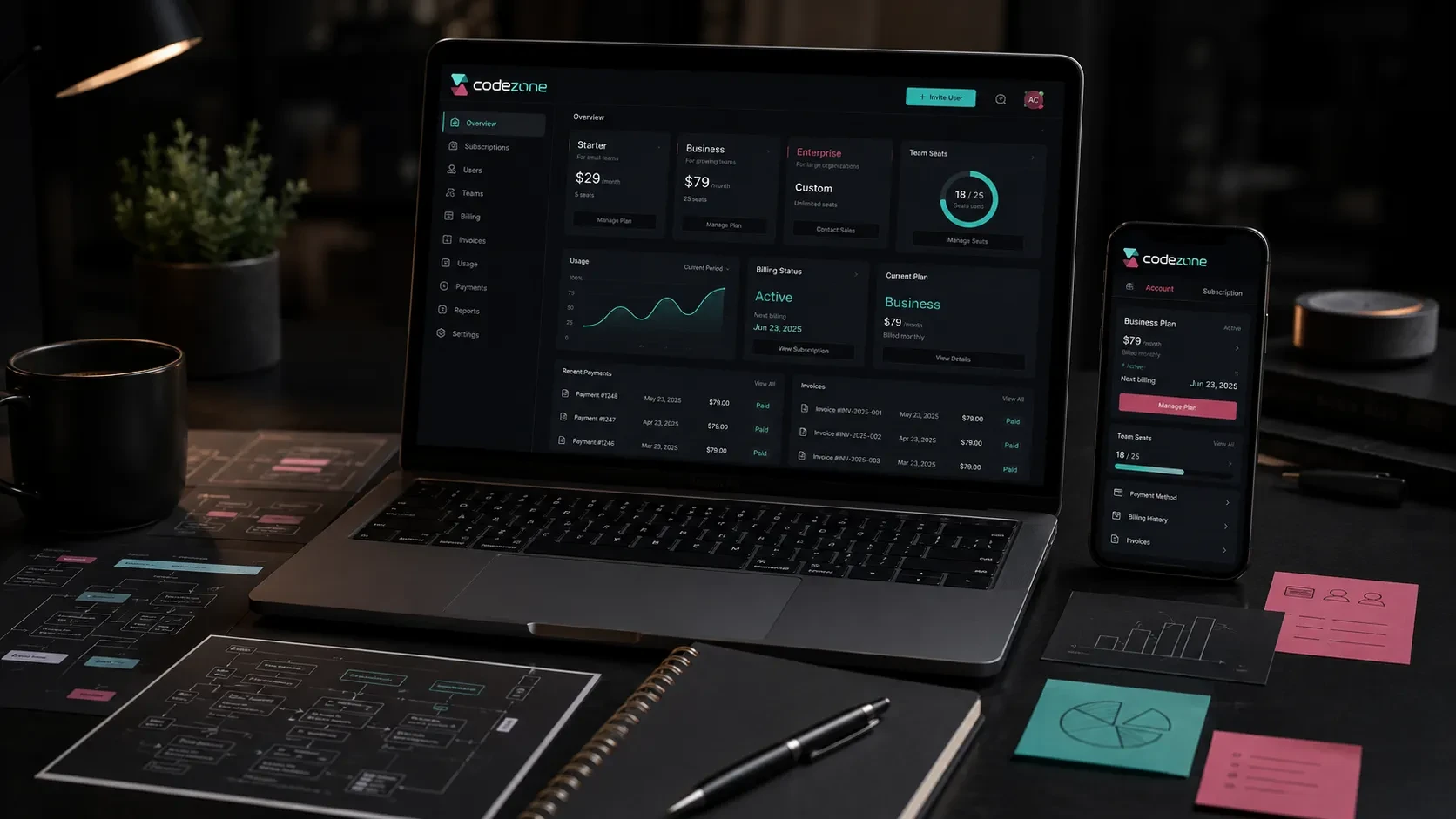
Subscription and user management are among the core systems that shape a SaaS product.
Users may create accounts, join companies or workspaces, select plans, invite team members, access features according to their subscription, upgrade packages, manage billing information, and cancel or renew their subscriptions.
Behind these interactions, the company needs to manage users, plans, payments, permissions, usage limits, subscription statuses, and customer activity.
For this reason, SaaS development should not begin with interface screens alone.
The subscription model, customer account structure, user roles, billing rules, feature access, and operational requirements should be defined before development begins.
When these systems are planned together, the product becomes easier for users to understand and easier for internal teams to operate as the customer base grows.
Define the SaaS Customer Model First
The first question is who actually becomes the customer of the SaaS product.
In some products, each user owns an individual account and subscription.
In B2B SaaS products, the paying customer is often a company or workspace with multiple users connected to the same subscription.
Possible structures include:
Individual account
Company account
Workspace
Team account
Organization
Agency account
Dealer or partner account
The distinction affects the entire product architecture.
For example, in an individual SaaS product, one user may create an account, select a plan, and manage their own billing.
In a B2B SaaS platform, one company may subscribe to the product and invite several employees.
In that case, the system may need to manage:
Company information
Workspace owner
Team members
User roles
Seat limits
Billing contact
Subscription plan
Company-level usage
User-level activity
Defining this structure early makes database design, authentication, billing, permissions, and the admin panel easier to plan.
Subscription Plans Should Reflect Real Product Value
A SaaS pricing model should not begin only with deciding how much each package costs.
The first step is defining what changes between plans.
Plans may differ according to:
Number of users
Number of projects
Storage
Monthly usage
Transaction limits
Available modules
Integrations
Reporting capabilities
Support level
Automation features
API access
Branding options
For example, a product might offer:
Starter
Designed for individual users or small teams with limited usage.
Professional
Provides higher usage limits, additional features, and team collaboration.
Business
Supports larger teams, advanced reporting, integrations, and more extensive permissions.
Enterprise
Provides custom limits, additional security requirements, advanced support, and company-specific commercial terms.
The differences between packages should be meaningful to customers.
Creating several plans with arbitrary feature differences can make the pricing page difficult to understand and make subscription logic unnecessarily complex.
Each plan should represent a clear customer need or stage of product usage.
Decide How Pricing Will Be Calculated
SaaS products can use different pricing structures.
Common models include:
Fixed monthly subscription
Fixed annual subscription
Per-user pricing
Per-seat pricing
Usage-based pricing
Transaction-based pricing
Tiered usage
Combination of base subscription and usage
Custom enterprise pricing
The right model depends on how customers receive value from the product.
If the value increases as more employees use the platform, per-seat pricing may be appropriate.
If the product processes transactions or API requests, usage-based pricing may be more suitable.
Some SaaS products combine both.
For example:
Base subscription + additional users
or:
Monthly plan + usage beyond the included limit
These rules should be defined before development because they influence both the product experience and backend architecture.
The system needs to understand what the customer has purchased, what they are entitled to use, and what happens when they reach a limit.
User Roles and Permissions Should Be Planned Together
In multi-user SaaS products, not every user should necessarily have the same access.
A company account may include roles such as:
Owner
Administrator
Manager
Team Member
Finance User
Viewer
Each role can have different permissions.
For example:
Owner
May manage the subscription, billing, users, and workspace settings.
Administrator
May manage users, product settings, and operational data.
Team Member
May use the core product features but may not change billing or account-level settings.
Finance User
May access invoices and billing information without having access to operational product data.
Viewer
May only view selected areas.
Permissions should answer questions such as:
Who can invite users?
Who can remove users?
Who can change the subscription?
Who can access billing information?
Who can export data?
Who can modify workspace settings?
Who can view sensitive information?
Who can create or delete records?
Planning permissions early creates a cleaner security model and makes the product easier to expand later.
Seat Management Should Be Clear in Team-Based SaaS Products
If pricing is based on the number of users, seat management becomes part of the subscription experience.
The system should clearly define:
How many seats are included in each plan
What happens when a new user is invited
Whether pending invitations consume a seat
How additional seats are billed
What happens when a user is removed
Whether seat changes affect the current billing period
How seat limits are displayed to administrators
For example, a company may subscribe to a five-seat plan.
If the owner tries to invite a sixth user, the product may:
Ask them to upgrade
Allow them to purchase an additional seat
Automatically adjust the subscription
Prevent the invitation until the plan changes
The chosen model should be predictable for the customer.
Customers should understand both their current limit and the financial effect of adding more users before confirming an action.
Free Trial and Freemium Models Should Be Defined Separately
Free trial and freemium are different product models.
A free trial provides temporary access to a paid product or plan.
A freemium model provides a permanent free package with defined limitations.
A free trial may require decisions such as:
Trial duration
Which plan is available during the trial
Whether card information is required
What happens when the trial expires
Which reminders are sent before expiration
Whether trial data remains accessible afterward
A freemium model may instead require:
Permanent free usage limits
Restricted features
User or project limits
Storage limits
Upgrade triggers
Paid feature visibility
The product should clearly communicate what users can do for free and when payment becomes necessary.
The transition toward a paid plan should feel connected to the value users receive rather than appearing as an unexpected restriction.
Feature Access Should Be Connected to Subscription Entitlements
One of the most important backend requirements in SaaS products is determining which features each customer can access.
This is often referred to as entitlements or feature access.
A plan may provide access to:
Specific modules
Higher usage limits
Additional integrations
Advanced reporting
More team members
Export functionality
API access
Automation
Premium support
The product should avoid spreading subscription checks manually across individual screens.
Instead, plan permissions and usage limits should be structured centrally.
For example, the system should be able to answer:
Which plan does this company have?
Is the subscription active?
Which features are included?
How many users are allowed?
How much usage remains?
Is this action within the customer’s limits?
This creates a more manageable architecture when new plans and features are introduced later.
Upgrades and Downgrades Should Have Clear Rules
Customers may want to change plans after they begin using the product.
Upgrade and downgrade scenarios should therefore be planned before launch.
For upgrades, the system should define:
When the new plan becomes active
Whether the customer pays a prorated difference
Whether new limits become available immediately
How the invoice is generated
Whether the customer needs to confirm the change
Downgrades can require additional rules.
For example, a customer may currently have:
12 users while the lower plan supports 5
20 projects while the lower plan supports 10
More stored data than the lower plan allows
Features currently in use that are unavailable in the lower plan
The product needs to decide what happens in these cases.
Possible approaches include:
Schedule the downgrade for the next billing period
Ask the customer to reduce usage first
Keep existing data but restrict new activity
Provide a temporary transition period
These rules should be communicated clearly in the interface.
Subscription changes should not leave customers uncertain about their data, access, or upcoming charges.
Cancellation and Subscription Expiration Should Be Planned
Cancellation is part of subscription management and should have a defined product flow.
Important questions include:
Can customers cancel directly from the product?
Does access continue until the end of the billing period?
What happens to customer data afterward?
Is there a grace period?
Can the subscription be reactivated?
Which emails are sent?
What happens when payment fails?
When does the account become inactive?
A subscription may have several statuses:
Trial
Active
Past Due
Cancelled
Expired
Suspended
These statuses should be reflected consistently across the backend, user interface, admin panel, and billing system.
Payment failure scenarios deserve particular attention.
A temporary card issue should not necessarily result in immediate data loss or account closure.
The system may use retry periods, notifications, and temporary access rules depending on the business model.
Billing and Invoice Management Should Be Part of the Product
Subscription management is closely connected with payment and invoicing.
Customers may need access to:
Current plan
Billing period
Renewal date
Payment method
Invoice information
Previous invoices
Payment history
Upcoming charges
Additional seat charges
Usage charges
Company accounts may also require separate billing contacts.
For example, the product may be used by an operations team while all invoices need to be sent to the finance department.
The system should therefore distinguish between:
Workspace owner
Product users
Billing contact
Company information
This becomes particularly important for B2B SaaS products.
Billing information should remain accessible to the right users without requiring every product user to have financial permissions.
The Admin Panel Should Support Subscription Operations
The customer-facing product is only one side of SaaS subscription management.
Internal teams need their own environment for managing customers and subscriptions.
A SaaS admin panel may include:
Company accounts
Users
Subscription plans
Subscription status
Trial status
User limits
Usage information
Payment history
Invoice status
Plan changes
Cancellations
Customer notes
Support history
Customer support teams may need to understand a customer’s account before responding to an issue.
Finance teams may need access to payment and invoice information.
Product teams may need to review usage patterns and subscription conversion.
The admin panel should give each internal role access to the information relevant to their responsibilities.
Manual intervention scenarios should also be considered.
For example, authorized administrators may need to:
Extend a trial
Change a plan
Add temporary usage
Suspend an account
Restore access
Update company information
These actions should be permission-controlled and recorded in activity history.
Subscription and User Management Affect Backend Architecture
Subscription logic should be part of the backend and data model from the beginning.
The system may need to maintain relationships between:
Users
Companies
Workspaces
Roles
Plans
Subscriptions
Payments
Invoices
Usage
Features
Permissions
For example, a user may belong to one company while another product allows the same user to participate in several workspaces.
A subscription may belong to the organization rather than the individual user.
Feature access may depend on both role and subscription plan.
These relationships become much harder to change after a product has already accumulated significant customer data.
This is why SaaS account architecture should be planned before individual screens are implemented.
Subscription Metrics Should Be Defined Before Launch
Once the SaaS product is live, subscription data becomes an important source of product and commercial insight.
Useful metrics may include:
New registrations
Trial starts
Trial-to-paid conversion
Active subscriptions
New paid subscriptions
Plan distribution
Upgrades
Downgrades
Cancellations
Renewal rate
Payment failures
Active users
Seat utilization
Feature usage
Revenue per customer
These metrics help teams understand where customers receive value and where the commercial model may need improvement.
For example, a high number of trial registrations combined with a low paid-conversion rate may indicate that onboarding, pricing, feature access, or product value needs to be reviewed.
Frequent upgrades can reveal which limits or features customers value most.
High cancellation rates within a specific package may indicate a mismatch between pricing and customer expectations.
Measurement should therefore be connected with both product behavior and subscription data.
The First Version Should Focus on Core Subscription Logic
A SaaS product does not need every possible pricing and subscription scenario in its first version.
The initial release should support the business model clearly without creating unnecessary complexity.
A first version may include:
Registration and login
Company or workspace creation
Core user roles
One or more subscription plans
Monthly or annual billing
Feature access by plan
Basic seat management
Upgrade flow
Cancellation flow
Billing information
Admin subscription management
Basic subscription analytics
More advanced capabilities can be added later:
Usage-based billing
Custom enterprise contracts
Advanced seat pricing
Promotional codes
Complex prorating
Multiple subscriptions
Regional pricing
Custom invoices
Advanced automation
Starting with a clear subscription model makes both development and customer communication easier.
The product can then evolve as real usage and sales data reveal which additional models are actually necessary.
Codezone’s Approach
At Codezone, we plan SaaS products by bringing the business model, subscription structure, company accounts, user roles, permissions, backend architecture, admin panel, integrations, and analytics together.
We begin by defining who the customer is, how accounts are structured, which plans will exist, what changes between plans, and how users gain access to product features.
From there, we structure registration, workspace management, billing, plan changes, permissions, admin operations, and measurement as parts of the same digital product.
This approach creates a SaaS architecture that is easier for customers to understand, easier for internal teams to manage, and better prepared for new plans, features, and customer segments as the product grows.
Conclusion
Before developing a SaaS product, subscription and user management should be defined as part of the core product architecture.
Customer accounts, workspaces, plans, pricing models, seats, roles, permissions, feature access, trials, upgrades, downgrades, cancellations, billing, and admin operations all influence one another.
When these decisions are made early, both the customer experience and technical architecture become clearer.
Users can understand what they are purchasing and what access they have, while company teams gain a structured environment for managing accounts, subscriptions, and customer activity.
A well-planned subscription model therefore supports more than payment collection. It becomes one of the central systems that allows a SaaS product to operate and grow sustainably.
Frequently Asked Questions
What should be defined before developing a SaaS subscription system?
Customer account structure, subscription plans, pricing model, user limits, roles, permissions, feature access, billing periods, upgrades, downgrades, cancellations, and payment scenarios should all be defined before development.
Should a SaaS subscription belong to the user or the company?
It depends on the product model. Individual SaaS products may attach the subscription directly to the user, while B2B SaaS products commonly attach subscriptions to a company, organization, or workspace that contains several users.
What is seat-based SaaS pricing?
Seat-based pricing charges customers according to the number of users who can access the product. Plans may include a defined number of seats or allow additional seats to be purchased separately.
What is the difference between a free trial and freemium?
A free trial gives users access for a limited period, while freemium provides a permanent free plan with defined feature or usage limits.
Should upgrades and cancellations be handled inside the SaaS product?
In many SaaS products, yes. Allowing authorized users to review their plan, upgrade, manage billing, and cancel their subscription creates a clearer self-service experience and reduces operational workload.