
How to Structure Categories on an E-Commerce Website

A well-planned category structure helps customers find products more easily, supports SEO visibility, and creates a smoother shopping experience across navigation, filtering, and product discovery.
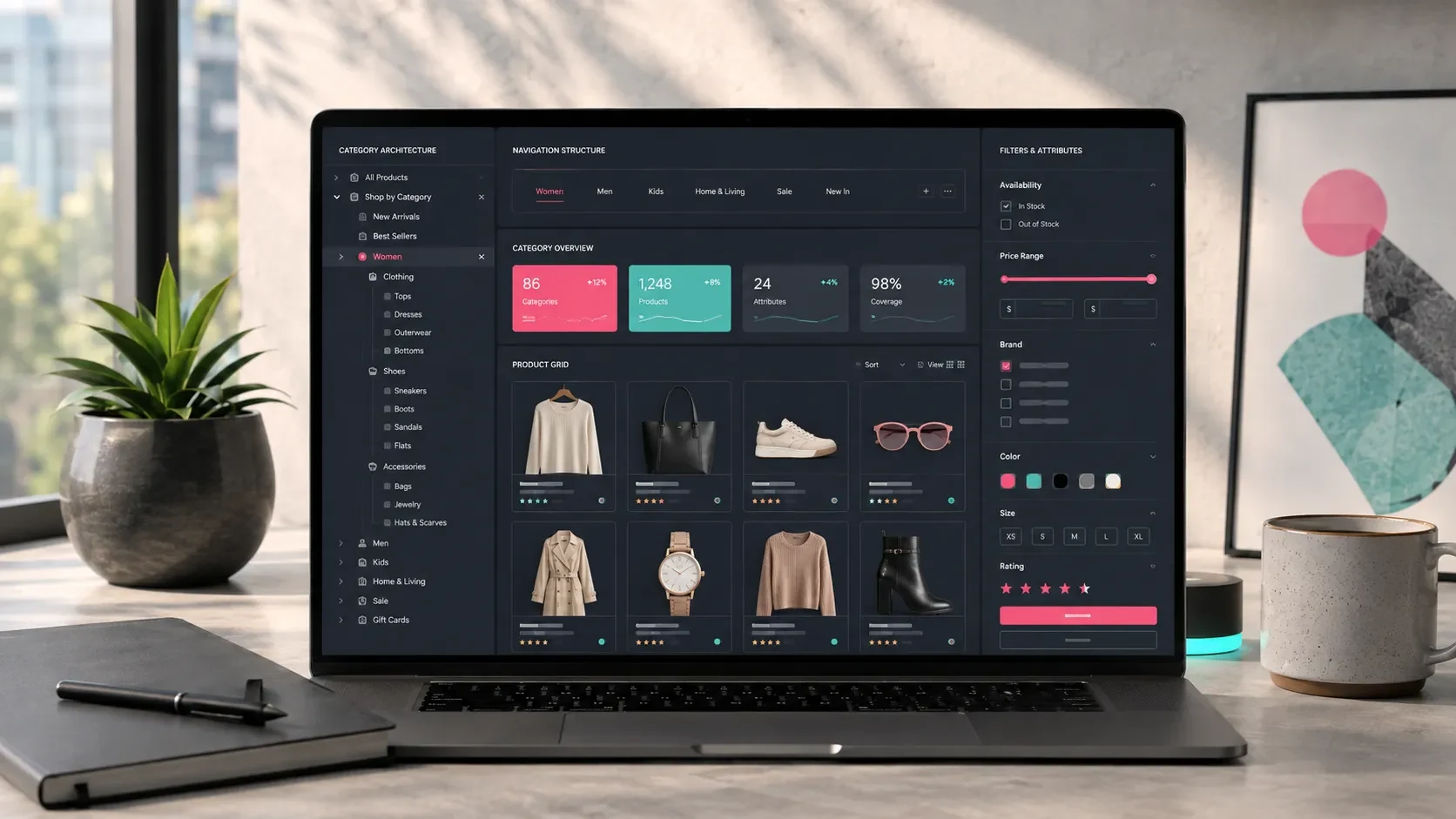
Category structure is one of the core systems that determines how customers discover products on an e-commerce website.
When visitors can quickly reach the right product group, compare available options, and move comfortably between categories, the overall shopping journey becomes easier to navigate.
Category architecture also creates an important foundation for SEO, product management, campaign planning, filtering, and site navigation.
When products are grouped logically, the website becomes easier for both customers and internal teams to use.
A strong category structure therefore goes beyond simply organizing a product catalog. It guides customers toward relevant products, supports purchasing decisions, and gives e-commerce teams a clearer framework for managing the catalog.
Product Groups Should Reflect the Business Model
The first step in category planning is to group products according to the business model and the way customers naturally think about them.
The same type of product catalog may require a different structure depending on the industry and customer expectations.
For example, a furniture store might organize its catalog around categories such as:
Living Room
Dining Room
Bedroom
Sofa Sets
TV Units
Tables and Chairs
An electronics store might use a more product-oriented structure:
Major Appliances
Built-In Appliances
Small Home Appliances
Televisions
Computers
Accessories
The key question is how customers mentally search for the product.
A category structure based primarily on internal inventory terminology may make sense to the company while feeling unfamiliar to visitors.
When category names reflect real shopping behavior, customers can understand the catalog more quickly.
Main Categories Should Be Clear and Easy to Understand
Main categories are among the most visible elements of an e-commerce navigation system.
Their names should therefore be concise, familiar, and easy to understand without additional explanation.
When defining main categories, consider questions such as:
What term would customers use when searching for this product?
Does the category name make sense on its own?
Are there enough products to justify a dedicated category?
Can relevant subcategories naturally sit beneath it?
Does the category represent meaningful search intent?
Too many main categories can make navigation difficult to scan.
Too few can create categories that are too broad and force customers to browse through large numbers of unrelated products.
The right balance depends on the size and diversity of the catalog.
A smaller brand may work comfortably with four to six primary categories, while a marketplace or large retailer may require a wider structure.
Even with a large catalog, however, navigation should remain organized and easy to scan.
Subcategories Should Bring Customers Closer to the Right Product
Subcategories help customers narrow broad product groups.
If “Furniture” is the main category, for example, subcategories can guide visitors toward more specific groups such as:
Sofa Sets
Armchairs
TV Units
Dining Tables
A useful subcategory structure should follow several principles:
Each subcategory should represent a meaningful product group.
The same product group should not appear repeatedly under different names without a clear reason.
Naming should reflect the language customers use.
Searchable terms should be considered where relevant.
Categories containing very few products should be planned carefully.
The structure should remain easy to navigate on mobile devices.
When subcategories are organized effectively, customers spend less effort navigating the catalog and more time evaluating relevant products.
This supports product discovery, comparison, and purchasing decisions.
Filters Should Be Planned Together With Categories
Categories and filters solve different parts of the same discovery problem.
Categories guide customers toward a product group. Filters help them narrow the available products within that group.
The right filters depend on the type of product being sold.
For a fashion store, filters might include:
Size
Color
Fabric
Price range
Brand
Season
Availability
For furniture:
Dimensions
Material
Color
Fabric type
Number of modules
Intended use
Delivery time
For electronics:
Energy rating
Capacity
Screen size
Warranty
Connectivity
Brand
Filters become most useful when they are connected directly to structured product data.
For this reason, filter planning should not be treated only as an interface decision. It should be considered together with the product data model.
Product Data Should Support the Category Structure
A category system can only work effectively when product information is structured consistently.
Product names, descriptions, images, pricing, inventory, variants, and technical attributes all influence the category and filtering experience.
Depending on the catalog, product data may include:
Product name
Short description
Detailed description
Main category
Subcategory
Variants
Color
Dimensions
Material
Brand
Availability
Product images
SEO title
Meta description
Structured data makes it easier to assign products to categories, create useful filters, display consistent product cards, and manage large catalogs.
Even a well-designed category architecture can become difficult to use when product data is incomplete or inconsistent.
For this reason, category architecture and product content should be planned as parts of the same e-commerce system.
For a more detailed look at product page structure, you can explore our guide on what a high-converting product page should include.
Category Pages Should Be Prepared for SEO
Category pages can play an important role in e-commerce SEO.
Customers often search for product groups rather than individual products.
Searches such as “sofa set,” “built-in oven,” “baby stroller,” or “running shoes” may lead users directly to category pages.
An SEO-ready category page can include:
A readable URL
Clear H1 heading
Category description
Product listing
Filters
Sorting options
Internal links
Meta title
Meta description
Optimized images
Structured data where appropriate
Category descriptions should primarily help the customer understand the product group.
Instead of filling the page with long, keyword-heavy paragraphs, concise content can explain what the category includes, important selection criteria, and relevant use cases.
This provides useful context for visitors while also creating a clearer page structure for search engines.
For a broader look at planning the complete commerce experience, you can also read our guide on which processes should be planned when building an e-commerce website.
Campaign and Special Category Pages Should Be Planned
Not every category needs to represent a permanent product type.
E-commerce websites can also create dynamic collections around campaigns, seasons, use cases, or customer groups.
Examples include:
New Arrivals
Best Sellers
Products on Sale
Summer Collection
Products for the Office
Mother’s Day Selection
Starter Sets
Premium Collection
Fast Delivery Products
These pages can support both product discovery and marketing campaigns.
Advertising traffic, email campaigns, or social media promotions can direct users toward a focused product selection rather than a broad category.
Special category pages can also function similarly to landing pages.
A page designed around a specific campaign, audience, or product theme can create a more focused experience and provide marketing teams with a dedicated destination for conversion-oriented campaigns.
Category URLs Should Follow a Consistent Structure
Category URLs should be readable for both customers and search engines.
They should remain relatively short, meaningful, and consistent with the overall category architecture.
For example:
/category/sofa-sets
/category/bedroom
/category/built-in-appliances
/category/running-shoes
Larger catalogs may require a nested structure:
/category/furniture/sofa-sets
/category/electronics/major-appliances
/category/clothing/women/dresses
Long-term category management should also be considered when defining URLs.
If category names and URLs are changed frequently, redirects and additional SEO management may be required later.
A stable category naming system reduces unnecessary structural changes as the catalog grows.
Category Management Should Be Simple in the Admin Panel
The category structure should also be practical for the internal e-commerce team.
Authorized users should be able to create categories, update descriptions, assign products, manage ordering, and control where categories appear without requiring development support for everyday changes.
Category management features may include:
Creating main categories
Creating subcategories
Reordering categories
Editing category descriptions
Managing SEO fields
Uploading category visuals
Showing or hiding categories in navigation
Assigning products to categories
Creating promotional categories
Managing categories across multiple languages
This becomes increasingly important as the catalog grows.
A clear admin experience allows the commerce team to manage products and categories efficiently while keeping the public website consistent.
Category Structure Should Improve Through Analytics
Category architecture should continue to evolve after launch.
User behavior can reveal which categories are frequently visited, which product groups contribute most to sales, and which filters customers rely on when making decisions.
Useful metrics may include:
Category page visits
Product listing views
Filter usage
Sorting usage
Add-to-cart rate by category
Conversion rate by category
Category page exit rate
Campaign category performance
Mobile category usage
These insights can guide future improvements.
Frequently visited categories may become more prominent in navigation. Filters can be refined based on real usage. Category descriptions can be updated, and product ordering logic can be adjusted according to customer behavior.
This turns category management into an ongoing optimization process rather than a one-time setup task.
Codezone’s Approach
At Codezone, we plan e-commerce category structures as part of the broader product architecture.
Product organization, user experience, SEO, filtering, admin management, campaign structures, and analytics are considered together.
This approach helps customers reach relevant products more comfortably, gives internal teams a clearer way to manage the catalog, and makes the digital sales journey easier to measure and improve over time.
Conclusion
Category structure determines how products are presented and how customers move through an e-commerce website.
Main categories, subcategories, filters, product data, SEO fields, navigation, URLs, and admin management should therefore be designed as connected parts of the same system.
When the structure is planned around both user behavior and product data, customers can find relevant products more easily, search engines can understand the catalog more clearly, and internal teams can manage the commerce operation more efficiently.
Frequently Asked Questions
How should categories be structured on an e-commerce website?
Category architecture should be created by considering product groups, customer search behavior, SEO objectives, filtering requirements, and the way the catalog will be managed through the admin panel.
How many main categories should an e-commerce website have?
There is no fixed number. The right number depends on the size and diversity of the product catalog. The structure should allow visitors to scan the menu easily while keeping product groups clearly separated.
Are subcategories necessary?
As product variety increases, subcategories help customers reach more specific product groups more quickly. They are particularly useful for stores with broad catalogs.
How do filters affect category structure?
Filters make products within a category easier to evaluate and narrow down. Fields such as size, color, dimensions, brand, price, and technical attributes should be planned according to the characteristics of the products.
Are category pages important for SEO?
Yes. Category pages can target search intent around broader product groups. Clear URLs, headings, useful descriptions, product listings, internal links, and properly structured metadata can all support their organic visibility.