
What Should Be on a Product Page That Sells?

What information should be on a product page that sells? Examine the structure that supports the purchasing decision with product description, images, price, delivery, trust elements, and mobile experience.
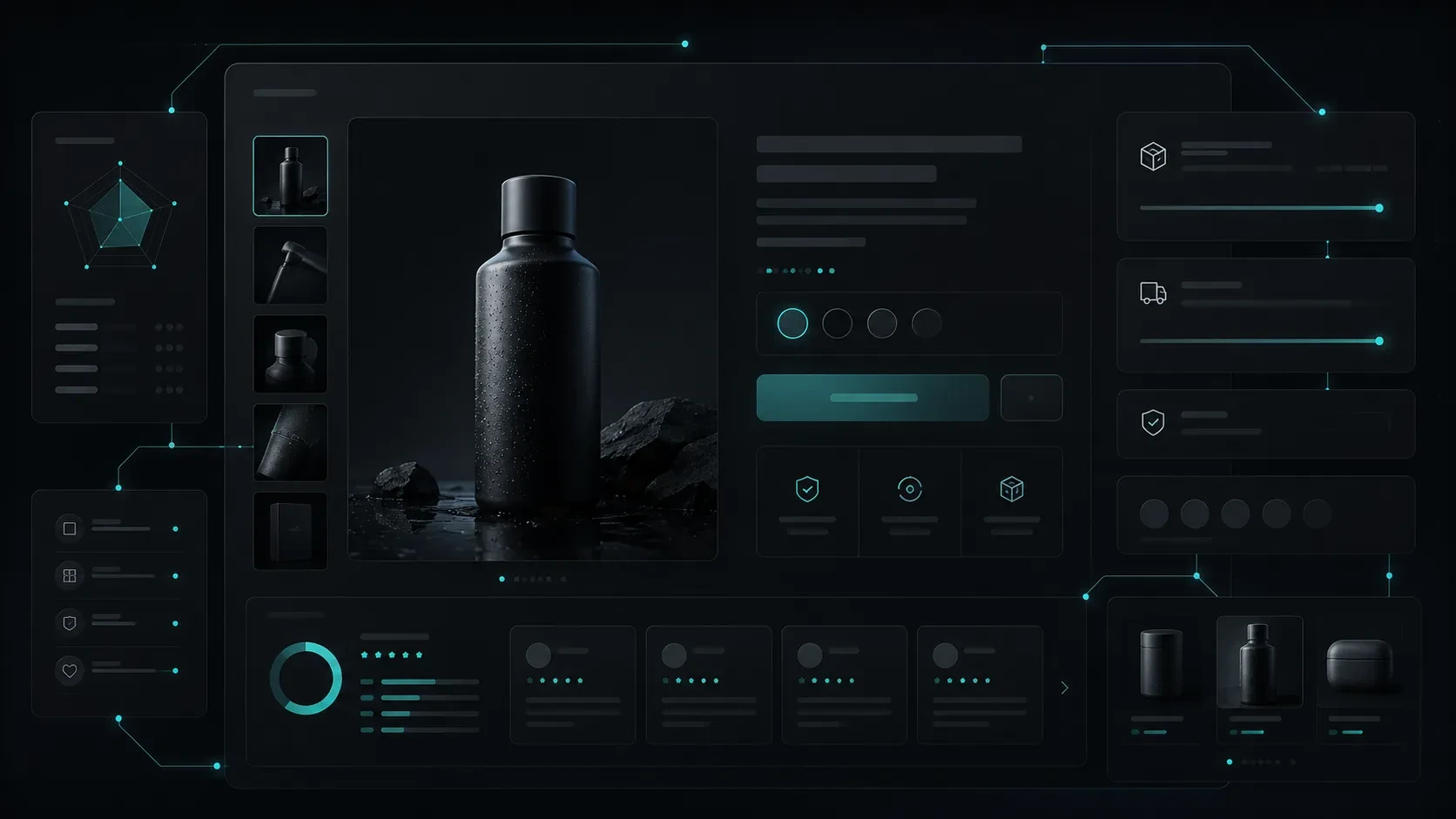
In e-commerce, a product page is not just an area where the product is displayed. The correct information hierarchy, images, pricing, delivery details, trust elements, and mobile experience directly affect the customer's purchasing decision.
When a visitor reaches the product page on an e-commerce site, they come to the point closest to making a purchase decision.
The homepage introduces the brand. Category pages make it easier to explore products. Campaign areas increase interest. However, the product page is where the user seeks a clear answer to the question, 'Is this product right for me?'
For this reason, a product page should not consist only of a product image, price, and add to cart button.
It should offer a comprehensive experience that helps the user understand the product, evaluate their options, see the delivery and return process, trust the brand, and make a purchasing decision comfortably.
A well-planned product page does not overwhelm the customer with information. It presents the necessary information in the correct order and intensity for decision-making.
In this guide, we will discuss which areas should be included on a product page that strengthens the sales experience.
Why Is the Product Page at the Center of the Purchase Decision?
A user can reach the product page directly from Google, a social media ad, a marketplace link, an email campaign, or a category page.
Therefore, the product page is often the first serious touchpoint the customer has with the brand.
When the user comes to this screen, they usually seek answers to the following questions:
What exactly does this product do?
Is it suitable for my needs?
What options are available?
What is the price and what advantages does it offer?
When will it be delivered?
How does the return or exchange process work?
Is the brand reliable?
Do I have enough reasons to complete the purchase now?
If the answers to these questions are not clear, the user may postpone the purchase decision or turn to alternative products.
The purpose of the product page is not to aggressively persuade the customer. It is to reduce uncertainties about the product and make it easier to make the right decision.
This approach strengthens the sales experience and helps reduce recurring questions on the customer service side.
Product Information: Title, Description, and Value Proposition
The product name should immediately tell the user what they are dealing with.
Vague titles based solely on internal brand naming or that do not describe the product can make it difficult for the visitor to understand the product.
For example, instead of just the model name, a title that includes the type of product and its defining feature can be more explanatory.
In the product description, simply listing technical features is not enough.
It is necessary to help the user understand the place of the product in their life or work.
A good product description answers the following questions:
What is the product designed for?
Which user need does it meet?
What feature sets it apart from similar ones?
Under what conditions can the user use the product?
What is the main benefit the product offers?
Turn Features into Benefits
Technical features are important. However, the customer often wants to see what this feature will provide for them.
For example:
Instead of 'Waterproof surface', 'More durable structure against liquid contact in daily use'
Instead of '5000 mAh battery', 'High-capacity battery for uninterrupted use throughout the day'
Instead of 'Double-layer fabric', 'Double-layer structure for more balanced use and long-lasting comfort'
This approach makes product information more understandable.
Instead of long paragraphs in the product description, a balanced structure can be established between short descriptions, highlighted benefits, technical details, and usage information.
Images and Video: Accurately Describe the Product
In e-commerce, the user cannot physically touch, measure, or closely examine the product.
Therefore, images are one of the most powerful decision tools on the product page.
Product images should not be used just to look aesthetically pleasing. They should ensure that the user gets the right idea about the product.
A strong visual set typically includes:
Main image showing the general appearance of the product
Detail images from different angles
Texture, material, or workmanship details
Usage images that give a sense of scale
Images showing variations
Lifestyle images describing the context of use of the product
If necessary, drawings of measurements, dimensions, or technical details
Depending on the type of product, video can also strengthen the decision-making process.
For example, the operating mode of an electronic product, the assembly process of furniture, the application method of a cosmetic product, or different angles of a clothing product can be explained more clearly with a short video.
The important thing here is not to use too many visuals; each visual should make a meaningful contribution to the user's decision-making process.
Price, Variations, Stock, and Delivery Information
Price information on the product page should be clear, up-to-date, and easily noticeable.
When the user sees the price; if there is a discount, they should easily understand under what conditions it is valid, installment or payment options, and if there are campaign details.
Alongside the price information, product options should also be presented clearly.
For example:
Size
Color
Measurement
Package option
Capacity
Model
Personalization areas
Delivery type
Variation selection should not leave the user in uncertainty.
If an option is out of stock, this should be clearly visible; if the selection affects the price or delivery time, the information should be updated instantly.
Delivery Information Is Part of the Purchase Decision
Users look not only at the price of the product but also at when and under what conditions it will be delivered.
Therefore, delivery information should not be left to the cart or payment stage.
It is beneficial for the following information to be visible on the product page if possible:
Estimated shipping time
Same day or next day shipping option
Shipping fee
Free shipping threshold
Delivery region or restrictions
Store pickup option
Special options like scheduled delivery
Clarity in delivery matters allows the customer to make the purchase decision more comfortably.
Technical Details and Information That Facilitates Decision Making
Not every product requires the same level of technical information.
While size guide and fabric information may be important for a clothing product, technical features, connection options, and compatibility become more decisive for an electronic product.
Technical details should be presented at the correct level on the product page.
Too much technical information can tire the user. Insufficient information can delay the purchase decision.
Therefore, presenting information in a layered manner is a good approach:
Basic value proposition and important decision information on the first screen
Detailed explanations in the middle section
Technical features, usage information, and documents in the lower sections
Areas that facilitate decision making may also include:
Size or measurement guide
Usage and care instructions
Compatibility information
Comparison table
Frequently asked questions
Product warranty information
Box contents
Installation or user manual
Certificates or material details
These areas reduce the user's hesitations before purchasing.
Trust Elements and Return Process
Especially when shopping with a brand for the first time, the customer evaluates not only the product but also the brand's sales and support approach.
Therefore, trust elements should be visible not only on the payment screen but also on the product page.
Trust-building information may include:
Secure payment options
Clear delivery and return policy
Exchange conditions
Warranty information
Customer service access
Real company and contact information
Certificates or quality documents
Clear product and material information
Transparent campaign conditions
Return and exchange information should not be hidden in small text.
When the user can easily see how the return process works, they may feel more secure in making a purchase decision.
Return information is not just a legal obligation; it is a natural part of the customer experience.
Mobile Product Page Experience
A significant portion of product research and purchasing processes takes place on mobile devices.
Therefore, the product page should not just be a reduced version of the desktop design.
On mobile, the user can evaluate the product with a small screen, one-handed use, shorter attention span, and variable connection conditions.
The following areas are especially important on the mobile product page:
Quick loading of the main product image
Easy visibility of price and basic product information
Ease of making variation selections
Accessibility of the add to cart button
Easy access to delivery and return information
Dividing long content with organized headings
Ease of switching between images
Ease of use of forms and notification areas
Seamless transition to the payment flow on mobile
On some product pages, a 'Add to Cart' area that remains accessible when the user scrolls down the page can be useful.
The main goal here is not to constantly pressure the user; it is to ensure that they can easily reach the necessary action when they decide to purchase.
How to Evaluate Product Page Performance?
After the product page is published, it is not enough to just check that the design works correctly.
How users interact with the page, where they are indecisive, and which information supports the purchase decision should be evaluated over time.
Some areas that can be tracked include:
Number of product page views
Add to cart rate
Transition rate from product page to payment step
Behaviors after variation selection
Viewing of product descriptions and technical details
Differences in mobile and desktop usage
Page loading performance
Customer requests related to returns and exchanges
Recurring topics in product reviews
Frequently asked questions to the support team
This data can be used to continuously improve the product page.
For example, frequent size questions for a particular product may indicate that the size guide is not visible enough. Repeated requests related to delivery may indicate that shipping information needs to be presented more clearly.
When product pages are developed based on user behaviors and customer feedback, they offer a stronger sales experience.
Codezone's E-Commerce Approach
At Codezone, we consider product pages as important experience areas that help the customer make the right decision about the product.
In each project, we evaluate the product structure, customer questions, purchasing process, brand narrative, and operational needs together.
This evaluation shapes the hierarchy of product information, visual usage, variation experience, the position of delivery and return information, mobile flow, and content needs on the management side.
Product pages that accurately describe the brand's products, facilitate the customer's decision-making process, and allow the team to manage content easily help the e-commerce experience develop sustainably.
At Codezone, we develop e-commerce projects not just as stores listing products, but as digital products where user experience, content, operations, and sales goals work together.
Conclusion
A product page that sells not only clearly explains what the product is but also why it might be the right choice for the user.
Images, product description, price, variations, delivery information, trust elements, reviews, and mobile experience shape the customer's decision-making process together.
The best product pages present the information needed at the right moment without overwhelming the user with information.
This approach supports the customer in making more secure decisions, makes the brand appear more consistent, and helps the e-commerce operation progress more healthily.
Frequently Asked Questions
What is the most important information on a product page?
This varies depending on the type of product. However, what the product is, what need it meets, its price, options, delivery information, and trust elements form the basic decision information on most product pages.
How long should the product description be?
The product description should not be written just to be short or long. It should clearly present the information necessary for the user to make a decision. Basic benefits can be in the upper section, while detailed technical information can be in the later sections of the page.
Is it necessary to use video on the product page?
It is not mandatory for every product. However, if it better explains the use, size, texture, movement, or operation of the product, video can add value to the user experience.
Should return information be included on the product page?
Yes. Easily seeing the delivery, return, and exchange conditions before purchasing strengthens the sense of trust and reduces uncertainty in the decision-making process.
Do product reviews affect the sales experience?
Reviews can help users see real experiences and understand different usage scenarios of the product. The accuracy, currency of reviews, and the brand's responses to feedback are also important.