
Why Does a Mobile App Need a Backend?

A mobile app backend supports essential systems such as user management, data flow, notifications, integrations, payments, and admin panels. A well-planned backend makes the product easier to manage, secure, scale, and develop over time.
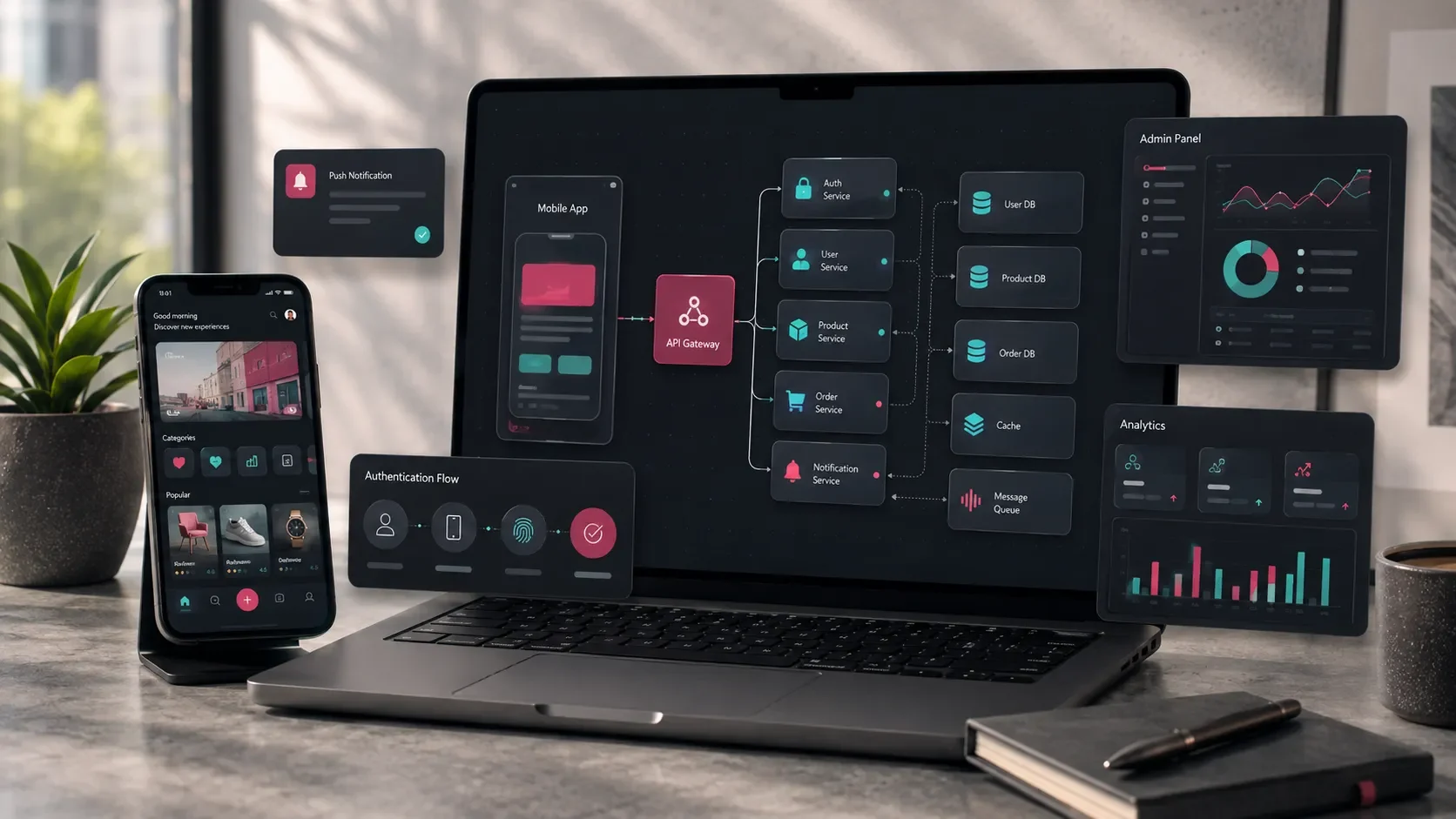
The mobile experience begins with what users see on the screen, but the systems working behind those screens are just as important.
User accounts, application data, notifications, integrations, payments, permissions, and admin operations often depend on a backend infrastructure.
The backend acts as the layer connecting the mobile application with data, servers, external services, and the operational tools used by the internal team.
When a user performs an action in the app, the backend can process the request, store or update the relevant information, and return the correct result to the application.
A well-planned backend gives a mobile product a stronger foundation for security, operations, future development, and growth.
For this reason, mobile application planning should cover more than interface design. Data structures, user roles, integrations, administration, and long-term product requirements should be considered from the beginning.
User Accounts Are Managed Through the Backend
Many mobile applications require users to create and manage personal accounts.
This may include:
User registration
Email or phone verification
Login
Password reset
Profile information
User roles
Session management
Account deactivation or deletion
The backend manages the relationship between a user and the data associated with that account.
For example, a registered user may log in, update their profile, view previous activity, and access information available only to their account.
The backend ensures that this information is stored correctly and delivered to the appropriate user.
The need becomes even more important when the application includes multiple user types.
A marketplace, for example, may include customers, sellers, administrators, and operations team members. Each group may require different permissions and access to different parts of the system.
These rules should be managed centrally rather than relying only on what the mobile interface displays.
Application Data Is Stored and Updated Through the Backend
Most mobile products generate or manage data continuously.
Depending on the application, this may include:
User profiles
Favorites
Messages
Orders
Reservations
Applications
Scores
Files
Preferences
Activity history
The backend works together with the database to store this information and make it available when the application needs it.
Consider a reservation application.
Its data model may include users, services, available dates, time slots, reservations, payment information, notification preferences, and reservation statuses.
An e-commerce application may instead work with products, categories, carts, orders, addresses, payments, shipments, and campaigns.
When these relationships are modeled properly, the mobile interface can access consistent information while internal teams can manage the same data through operational tools.
This makes backend architecture closely connected to the actual business model of the product.
The Admin Panel Works Together With the Backend
Many mobile applications also need an environment where internal teams can manage the product.
This is usually handled through an admin panel.
Depending on the application, teams may use the panel to:
View users
Add or update content
Manage orders
Review applications
Manage reservations
Create campaigns
Send notifications
View reports
Change application settings
The backend provides the data layer connecting the mobile application and the admin panel.
For example, an education platform may allow administrators to publish lessons and announcements from the panel while users access the same information through the mobile app.
The mobile application and the admin panel therefore become two different interfaces working with the same underlying system.
Admin panel requirements should be evaluated at the beginning of the mobile application project rather than being treated as a separate requirement later.
For a broader look at this structure, you can read our guide on what an admin panel is and what it offers businesses.
Push Notifications Depend on Backend Logic
Push notifications are an important communication channel for many mobile products.
However, sending notifications effectively requires more than connecting the application to a notification service.
The system needs to determine:
Which user should receive the notification?
What should the message contain?
When should it be sent?
Has the user enabled that type of notification?
Is the notification related to a specific transaction or event?
Notification scenarios may include:
New order updates
Appointment reminders
Campaign announcements
New messages
Application status changes
Shipping updates
New content
Personalized recommendations
The backend can use account information, application activity, transaction history, and user preferences to determine which notifications should be sent.
For example, a reservation application can remind users about an upcoming appointment.
An e-commerce application can notify the customer when an order is shipped or delivered.
This makes notifications part of the broader product logic rather than an isolated mobile feature.
Third-Party Integrations Are Connected Through the Backend
Mobile applications often need to communicate with external platforms.
Common integrations include:
Payment providers
SMS services
Email services
Mapping platforms
Shipping providers
CRM systems
ERP systems
Accounting software
File storage
AI services
Analytics platforms
The backend can provide a controlled integration layer between the mobile application and these services.
This offers several advantages.
Sensitive API credentials can remain on the server side instead of being exposed within the mobile application. External data can also be validated, transformed, logged, and combined with the application’s own business rules before being returned to the user.
For products that rely on several third-party systems, this centralized structure makes integrations easier to maintain and evolve over time.
Payments and Subscriptions Need Backend Support
Payment-based products usually require backend logic to manage transaction and entitlement information reliably.
This is particularly important for applications that include:
Payments
Subscriptions
Premium plans
Paid memberships
Package purchases
Digital entitlements
The backend may need to manage information such as:
Purchases associated with each user
Payment status
Subscription start and expiration dates
Plan entitlements
Billing information
Cancellations and refunds
Platform transaction records
Admin reporting
Consider a subscription-based application.
Once a user purchases a monthly plan, the application needs to determine whether that subscription is still active whenever the user attempts to access premium functionality.
That decision should be based on reliable transaction information rather than only on a value stored locally on the user’s device.
This is one reason backend architecture becomes especially important for SaaS, education, content, fitness, reservation, and membership-based mobile products.
Backend Decisions Affect Performance and Scalability
An application may start with a limited user base and later grow to serve significantly more users, transactions, files, and data.
Backend architecture should be able to support that evolution.
Relevant areas include:
API response times
Database architecture
Query optimization
Caching
File and image management
Server infrastructure
Backup processes
Logging and monitoring
Traffic management
As activity increases, inefficient queries or poorly structured data can become increasingly visible to users.
For example, a screen that loads comfortably with a few hundred records may behave very differently once the platform contains hundreds of thousands of records.
Planning database relationships, APIs, caching, and infrastructure carefully creates a stronger foundation for future growth.
The goal is not to over-engineer the first version.
It is to make technical decisions that allow the product to evolve without creating unnecessary limitations.
The Backend Should Be Included When Defining the First Release
The scope of a mobile application cannot be accurately estimated by counting screens alone.
A relatively simple-looking interface may require substantial backend work.
The first release should therefore define both the mobile experience and the systems supporting it.
Questions may include:
Will users create accounts?
What information will user profiles contain?
Which data needs to be stored?
What modules are required in the admin panel?
Will push notifications be used?
Are payments or subscriptions required?
Which integrations are needed at launch?
Which events need to be measured?
These decisions directly influence development scope, technical architecture, timeline, and budget.
A clear backend scope also makes it easier to distinguish between what is essential for the initial release and what can be developed in later versions.
For a more detailed look at first-release planning, you can read our guide on what an MVP is and how to plan the first version of a mobile application.
Backend Infrastructure Strengthens Analytics and Reporting
Once the mobile application is live, the team needs visibility into how the product is being used.
Analytics platforms can measure user behavior in the interface, while backend data can provide additional information about transactions and operational activity.
Depending on the product, teams may track:
User registrations
Active users
Login frequency
Orders or reservations
Form submissions
Payment activity
Notification engagement
User segments
Most frequently used features
Error logs
This information helps teams understand how the product performs in real usage.
For example, the team may identify features that receive high engagement, stages where users frequently abandon a process, or operational areas that require improvement.
These insights can then inform the roadmap for future versions.
Codezone’s Approach
At Codezone, we plan mobile applications by considering the interface, backend, data structure, admin panel, integrations, and publishing process as connected parts of the same digital product.
We begin by defining the purpose of the application, user roles, core journeys, data requirements, and the operational needs of the internal team.
From there, the mobile interface, backend architecture, APIs, admin environment, and release plan can be designed around the same product structure.
This approach creates mobile applications that are comfortable for users to interact with, practical for teams to manage, and ready to evolve as new requirements emerge.
Conclusion
Backend infrastructure supports many of the systems that make a mobile application useful beyond its interface.
User accounts, application data, admin panels, notifications, integrations, payments, permissions, security, and analytics all rely on decisions made behind the mobile screens.
Planning these areas together from the beginning creates a product that is easier to operate, maintain, secure, and expand.
A well-structured backend transforms a mobile application from a collection of screens into a connected digital system where user experiences, business operations, and data work together.
Frequently Asked Questions
Does every mobile application need a backend?
Not necessarily. Simple applications that mainly display static or locally stored content may require little or no custom backend infrastructure. Applications that include accounts, shared data, notifications, payments, admin operations, or integrations usually require a backend.
Can a mobile application work without a backend?
Yes, depending on the product. A simple informational or offline application can operate with a more limited architecture. When the application needs centralized user data, authentication, payments, notifications, or operational management, a backend becomes significantly more important.
What does a backend manage in a mobile application?
A backend can manage user accounts, application data, API connections, notifications, payments, authorization rules, integrations, and the information used by the admin panel.
Does a mobile application need an admin panel?
It depends on how the application will be managed. When teams need to manage users, content, orders, reservations, applications, campaigns, or notifications, an admin panel can become an important operational tool.
Does backend development affect the cost of a mobile application?
Yes. User roles, data complexity, integrations, admin panel requirements, payment systems, notifications, security, and infrastructure requirements all influence backend scope and therefore affect overall project effort and cost.