
What is the Difference Between a Web Application and a Website?

What is the difference between a web application and a website? Determine the right solution based on user login, data management, user roles, transaction flows, and business needs.
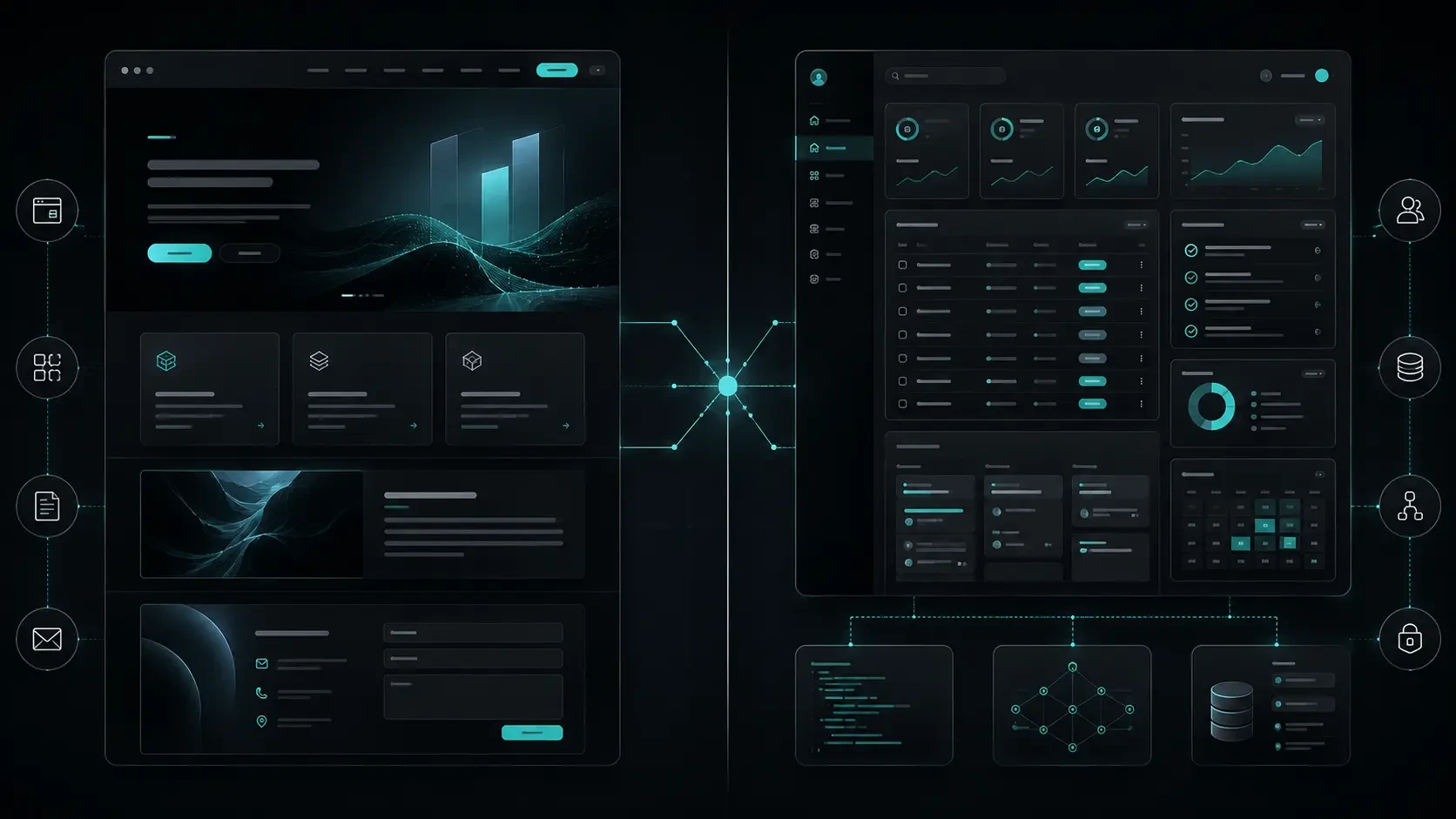
A website is used to describe a brand, service, or product. A web application, on the other hand, is a more interactive system where users can log in, work with data, and perform specific operations. This guide addresses the difference between the two structures and which solution is suitable for which need.
Many businesses face a similar dilemma when planning a digital project:
Do we need a website or a custom web application?
These two structures may appear similar from the outside. Both open through a browser, operate under a domain name, and present screens to the user.
However, their purposes, the operations users can perform, and the technical requirements in the background are quite different.
A corporate website is designed to describe the brand, services, products, or expertise. It allows the visitor to get to know the company, access information, and get in touch.
A web application, however, is a more interactive system where users log in, view data, perform operations, access different areas based on permissions, and manage daily business processes.
A customer portal, dealer panel, order tracking system, project management tool, content management system, or SaaS platform can be considered as a web application.
In this guide, we will address the fundamental differences between a website and a web application in terms of purpose, user experience, data structure, technical infrastructure, and business needs.
What is a Website?
A website is the digital promotion and communication area of a brand, institution, service, or product.
Visitors usually come to the website to get information, review services, get to know the brand, read content, or get in touch.
A corporate website often includes the following areas:
Homepage
About Us
Services
Product or solution pages
Blog or resource center
Career
Frequently Asked Questions
Contact
Quote or project form
The main task of the website is to clearly explain what the company does, which need it meets, and why it might be preferred.
This structure supports brand visibility, trust, and new business opportunities.
For example, for a consulting company, manufacturing firm, law office, software company, or architecture studio, a corporate website can be a strong center that describes services, showcases expertise, and directs the visitor to get in touch.
Websites can be enriched in terms of content. Blog posts, case studies, product catalogs, resources, or announcements can be published.
However, the visitor often does not perform complex operations within the system. The main goal is to access information, build trust, and move towards the right action.
What is a Web Application?
A web application is a software system where users perform specific operations, work with data, and often log in with a user account.
In web applications, the user does not only read information. They interact with the system.
For example, users can:
Create an account.
Log in.
Add or edit data.
Create orders, tasks, requests, or reservations.
Upload files.
Review reports.
View content according to different user roles.
Track processes.
Receive notifications.
Perform operations according to their permissions.
Therefore, a web application consists not only of designed pages but also of user experience, data structure, business rules, authorization, API connections, and management processes.
Examples of web applications include:
Customer portal
Dealer order system
Management panel
SaaS platform
Project management tool
Stock and operations tracking system
Appointment or reservation application
Education platform
Content management system
Human resources portal
Finance or reporting tool
The purpose of web applications is to digitize a specific process, simplify repetitive tasks for users, and create a more controlled working environment for the business.
Key Differences Between a Website and a Web Application
To understand the difference between a website and a web application, it is not enough to just look at the design.
The real difference is what the user does within the system and for what purpose the business uses this system.
Purpose of Use
A website is designed to provide information and guide the visitor.
A web application, on the other hand, allows users to conduct tasks, orders, registrations, reporting, management, or transaction processes.
For example, the page where a company describes its services is a website. The area where customers log in and manage their orders, invoices, or requests is a web application.
User Login and Authorization
Websites generally operate in a publicly accessible manner.
Visitors can review the homepage, services, or blog content without logging in.
In web applications, however, the user account plays a more central role.
Not every user may have access to the same information or the same transaction authority.
For example, the system may have the following roles:
Customer
Dealer
Operations staff
Content editor
Administrator
Super administrator
The areas these roles can see and the operations they can perform may differ from each other.
Data and Transaction Flows
On a website, content is generally presented to the visitor.
In a web application, however, user data, transaction history, order status, tasks, reports, or system records can constantly change.
For example, when a user creates a request in a customer portal, this data may fall to the operations team. When the team updates the request, the customer can see the new status on the panel. Throughout the process, notifications, authorizations, and records come into play.
Such structures require a more comprehensive technical architecture.
Management and Operation
A website is often managed by content teams.
Service texts, blog posts, images, and announcements are edited.
In a web application, however, daily operations may also be included alongside content management.
For example, administrators can:
Manage users.
Define roles.
Review requests.
Track orders.
Access reports.
Update process rules.
Control movements within the system.
Therefore, a web application becomes a part of the business's digital operation.
Technical Infrastructure
For a website, content management, performance, mobile compatibility, and SEO are important topics.
In a web application, in addition to these, the following topics also stand out:
User authentication
Authorization
Data security
API structure
Business rules
Database design
Error management
Notification systems
File management
Reporting
Integrations
Backup and monitoring
Therefore, web application projects cannot be evaluated solely based on the number of screens. User flows and system behaviors directly affect the scope of the project.
When is a Website Sufficient?
Not every business needs a web application in the initial stage.
If a company's main goal is to describe its brand, make its services visible, produce content, and gather requests from potential customers, a well-planned corporate website often provides a sufficient start.
A website can be a strong solution for the following needs:
Brand and service description
Corporate visibility
Product or service catalog
Blog and resource center
Quote or contact form
References and case studies
Career page
Simple announcement and campaign areas
Content management need
SEO and organic visibility efforts
For example, for an architecture office, law firm, consulting company, or software company, a website that clearly presents services, has a strong content structure, and manages the communication flow well can support business goals for a long time.
The important question at this point is:
Does the visitor only want to get information, or will they regularly perform transactions within the system?
If the first answer is dominant, a website may be the more appropriate structure.
When is a Web Application Necessary?
If there is a recurring process in your business and this process progresses scattered among emails, Excel files, messaging applications, or different tools, a web application may become more meaningful.
Some examples indicating the need for a web application are:
If customers need to log in and see their own information
If special pricing, order, or product management is required for dealers
If there are multiple user roles
If order, task, reservation, or request processes will be tracked
If operations teams will work on the same data
If internal company processes are to be managed from a single center
If users need to upload documents, fill out forms, or give approvals
If there are reporting and analysis needs
If connections will be made with existing ERP, CRM, accounting, or stock systems
If a SaaS product or subscription-based platform is to be developed
For example, for a distribution company, just a “our services” page may be sufficient. However, if customers need to log in to track their deliveries, the operations team needs to assign tasks, and managers need to see performance reports, the need for a web application arises.
The aim here is not to turn every process into custom software.
The aim is to make processes that provide real value to the business more organized, secure, and measurable.
How Do a Website and a Web Application Work Together?
A website and a web application do not have to be alternatives to each other.
For many businesses, the strongest structure is the model where both experiences work together.
The website describes the brand, produces content, informs visitors, and directs new users to the right action.
The web application, on the other hand, manages the daily operations, data, and processes of logged-in users.
In a SaaS product, for example, the structure might be as follows:
The main website explains what the product does.
Feature pages explain usage areas.
The blog and resource center inform visitors.
The pricing page shows the plans.
When users sign up, they are directed to the application panel.
Within the application, users work with their own data.
A similar structure is also applicable for customer portals, dealer systems, e-commerce projects, or membership-based platforms.
This approach ensures that brand narration and user operation support each other.
While the website addresses a broader visitor audience, the web application offers the special experience needed by registered users.
Development, Management, and Maintenance Processes
The development processes of a website and a web application proceed with different scopes.
In website projects, information architecture, content plan, design language, mobile compatibility, performance, SEO infrastructure, and CMS experience stand out.
In web applications, in addition to these areas, user flows, data models, user roles, APIs, security, integrations, and operational processes are planned.
Website Management
The areas frequently managed by teams on a corporate website are:
Page contents
Blog posts
Images
Service descriptions
Team information
Frequently Asked Questions
Meta title and meta description fields
Contact information
Campaign or announcement areas
Therefore, the CMS or management panel to be used for the website should be suitable for the daily working style of content teams.
Web Application Management
In a web application, management can gain a more operational structure.
According to the needs of administrators, the following areas may be included:
User management
Role and authorization
Data entries
Transaction and request tracking
Order management
Reporting
Notification settings
Content or product management
Integration settings
System logs
Therefore, the management panel of a web application is not just a technical tool; it is an important area where daily business processes operate.
Maintenance and Development
Both structures continue to develop after going live.
On websites, content updates, performance improvements, new pages, and SEO efforts gain importance over time.
In web applications, however, user feedback, new workflows, data security, integration changes, and product roadmaps can create a more intense development process.
Proper planning ensures that both structures meet today's needs and provide room for future development.
Codezone's Approach
At Codezone, we evaluate the decision between a website and a web application based on the business's goals and the experience users need.
In each project, we consider together what information visitors want to access, what operations users will regularly perform, and which process the business wants to digitize.
This framework shapes how the project will be designed as a corporate website, a web application, or a product experience where both structures work together.
When information architecture, user flows, management needs, technical infrastructure, and content operation are planned with the same goal in mind, a stronger system emerges for both users and teams.
At Codezone, we develop digital projects not just as screens that go live, but as products that support the brand's communication and the business's daily operations.
Conclusion
The fundamental difference between a website and a web application emerges more in the purpose of use than in appearance.
A website provides a strong digital space to describe the brand, services, and expertise.
A web application, on the other hand, is a more interactive system where users log in, work with data, manage transactions, and digitize business processes.
The right structure should be determined based on what your business needs today, what operations users will perform, and which processes you want to make more efficient in the future.
In some projects, a well-planned website is sufficient. In others, a customer panel, management tool, or custom web application that works alongside the website produces more value.
Frequently Asked Questions
Is a web application the same as a mobile application?
No. A web application works through a browser and can usually be used from a computer or mobile browser. A mobile application, on the other hand, is developed for iOS or Android operating systems and is installed through app stores. In some products, both structures can work together using the same backend infrastructure.
Can a website be later converted into a web application?
Yes. However, this process may not only involve adding new screens. User accounts, data structure, authorization, APIs, and management needs should also be planned. How suitable the existing website is for this transformation is evaluated based on the project scope.
Is mobile compatibility necessary for a web application?
It depends on where and how the users will use the application. Mobile compatibility may be important for field teams, customers, or users on the move. Some management panels, however, may be primarily planned for desktop use.
How long does it take to develop a web application?
The duration varies depending on the number of users, user roles, transaction flows, design scope, backend needs, and integrations. Determining the right scope for the first version ensures a healthier planning process.
Can a corporate website and a customer portal be developed in the same project?
Yes. While the corporate website describes the brand and services, the customer portal can allow logged-in users to manage their special transactions. These two structures can be developed together with a common design language and technical planning.