
How Should a B2B E-Commerce Website Be Planned?

A B2B e-commerce website should bring customer groups, custom pricing, corporate accounts, quote and order flows, payments, admin operations, integrations, and reporting into one connected digital sales system.
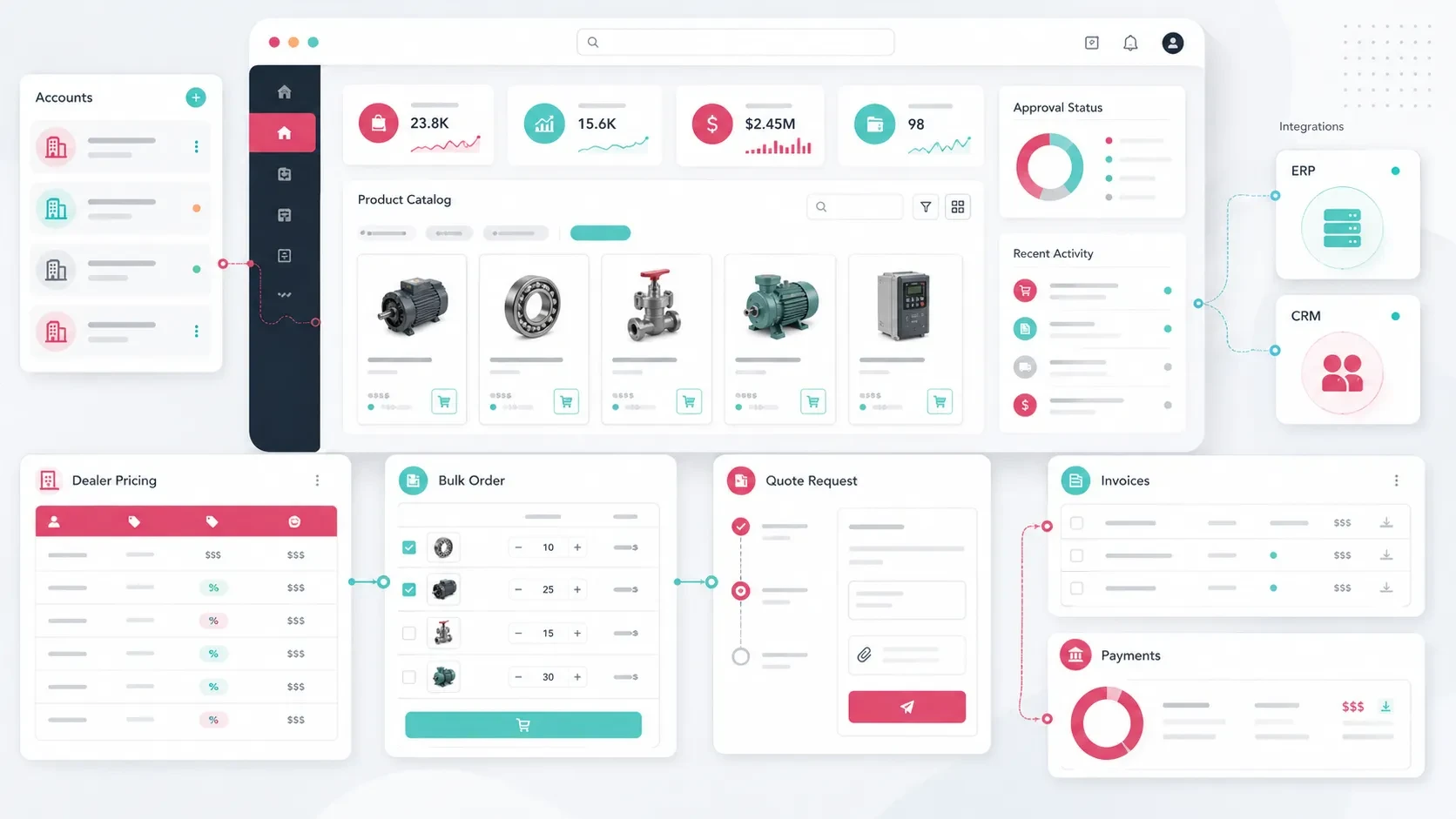
A B2B e-commerce website is a digital commerce platform that allows companies to manage sales processes with dealers, distributors, wholesalers, corporate customers, and business partners.
Compared with a traditional consumer-focused online store, B2B commerce usually requires a more layered structure.
The customer may not be represented by a single individual. One company account may include several users with different responsibilities, custom price lists, negotiated payment terms, order approvals, account balances, and quotation processes.
For this reason, planning a B2B e-commerce website involves much more than creating product listings, a cart, and a checkout page.
The sales model, customer types, pricing rules, purchasing workflows, admin panel, integrations, and operational processes should all be designed as parts of the same system.
When these areas work together, customers can access products, prices, stock information, and order processes more easily, while internal teams gain a more structured environment for managing sales operations.
Define the Sales Model and Customer Types
The first step in planning a B2B e-commerce platform is understanding how the company actually sells.
Not every B2B organization operates in the same way.
Some companies sell through dealers. Others work with regional distributors, wholesale customers, corporate purchasing teams, or business partners with negotiated agreements.
Before defining the interface, several questions should be answered:
Who will sign in to the platform?
Will every customer have access to the same products?
Will every customer see the same prices?
Will dealers, distributors, and corporate customers be managed separately?
Can orders be placed directly, or do they require approval?
Will quote requests and direct orders follow different workflows?
Will customers use account-based or deferred payment terms?
Will sales representatives participate in the digital ordering process?
For example, a manufacturer may need separate account structures for dealers, regional distributors, and its own central sales team.
A wholesaler may prioritize minimum quantities, case-based ordering, volume discounts, and customer-specific prices.
Once this structure is clear, the B2B platform can be designed around the company’s existing commercial model rather than forcing the business into a standard consumer checkout flow.
Plan Product, Category, and Pricing Structures Together
Product information in B2B commerce often needs to be more detailed than in a consumer store.
Customers may need technical specifications, stock availability, packaging details, minimum order quantities, product codes, downloadable documents, and customer-specific pricing before making a purchasing decision.
A B2B product model may include:
Product name
Product code
Brand
Category
Subcategory
Technical specifications
Stock status
Minimum order quantity
Case or package information
Unit price
Customer-specific price
Discount rate
Delivery information
Product documents
Category architecture is equally important.
B2B customers often know what they are looking for and expect to find products quickly through categories, technical filters, product codes, or search.
Category structure, filtering, and the underlying product data model should therefore be planned together.
For a broader look at this area, you can read our guide on how to structure categories on an e-commerce website.
Pricing May Differ for Every Customer Group
One of the most important differences between B2B and B2C commerce is pricing.
A public retail price may not be suitable for every business customer.
Prices may vary according to:
Customer group
Dealer level
Contract
Region
Order quantity
Product category
Volume commitment
Campaign agreement
Some customers may see a fixed negotiated price, while others receive percentage-based discounts from a standard price list.
In more advanced structures, the same customer may even have product-specific agreements.
For this reason, pricing should not be treated merely as a field on the product page. It should be modeled as part of the platform’s business logic and backend architecture.
Define Company Accounts, Users, and Permissions
B2B commerce usually revolves around company accounts rather than individual consumer accounts.
One corporate customer may have several people using the platform.
For example:
A purchasing specialist may prepare an order.
A finance user may access invoices and payment information.
A manager may approve large orders.
A warehouse user may follow delivery information.
A company administrator may manage other users.
The account structure may include:
Company account
Users connected to a company
Dealer account
Distributor account
Sales representative account
Administrator
Order approval permission
Price visibility permission
Document download permission
Payment information permission
This becomes particularly important when working with larger customers.
Giving every person the same level of access can make the system difficult to control.
Role-based permissions allow each user to see and perform only the actions relevant to their responsibilities.
The account creation process should also be planned.
Customers may:
Register directly
Submit a dealer or corporate account application
Wait for company approval
Be created manually by the sales team
Be synchronized from an ERP or CRM system
The right model depends on how the company currently manages B2B relationships.
Design Cart, Quote, and Order Flows Around the Sales Model
B2B purchasing does not always follow a simple “add to cart and pay” flow.
Different products or customers may require different purchasing methods.
Possible B2B transaction models include:
Direct order
Quote request
Bulk order
Quick order from a product list
Order upload through Excel
Approval-based ordering
Sales representative approval
Minimum order value
Minimum quantity
Case-based purchasing
For example, a dealer may add products to a cart and submit an order request that is reviewed by the central sales team.
Another corporate customer may select products and request a quotation before confirming the order.
A high-volume customer may want to enter product codes and quantities directly without browsing individual product pages.
The interface should clearly reflect whichever model is used.
Customers may need to see:
Products
Quantities
Negotiated prices
Discounts
Order totals
Delivery options
Approval status
Quote status
For a more detailed look at the purchasing journey, you can read our guide on how to design the cart and checkout flow on an e-commerce website.
Plan Payments, Account Balances, and Invoicing Together
Payment models in B2B commerce can be more flexible than in consumer e-commerce.
Not every customer pays by credit card at the moment an order is placed.
Depending on the commercial relationship, payment models may include:
Credit card
Bank transfer / EFT
Account balance
Deferred payment
Payment after quotation
Payment link
Invoicing after order confirmation
Contract-based payment terms
The payment structure should align with the company’s finance and accounting operations.
When an order is created, teams may need to track:
Payment status
Account balance
Payment term
Invoice status
Collection status
Due date
Credit limit
Corporate billing information should also be structured carefully.
Relevant data may include:
Company legal name
Tax office
Tax number
Billing address
Delivery address
Authorized contact
When an ERP, accounting, or e-invoicing system already exists, the B2B platform should be planned around how these systems exchange information.
The goal is to create a digital sales channel that works with the company’s existing finance operation rather than creating a separate set of manual processes.
Design the Admin Panel Around Sales Operations
The admin panel is one of the most important parts of a B2B e-commerce platform.
The customer-facing catalog and ordering experience may be highly visible, but internal teams need equally strong tools to manage the operation behind it.
A B2B admin panel may include:
Customer management
Dealer management
User and role management
Product management
Category management
Price lists
Discount rules
Order management
Quote requests
Payment and invoice tracking
Stock information
Reporting
Notification management
Integration settings
Pricing management deserves particular attention.
Teams may need to assign different price lists to different customer groups, create dealer-specific discounts, or manage negotiated prices for individual products.
Order management may also require more detail than a standard online store.
An order detail page may include:
Customer account
User who created the order
Sales representative
Products and quantities
Customer-specific prices
Discounts
Payment status
Approval status
Delivery information
Invoice information
Internal notes
Activity history
For a more detailed look at admin architecture, you can read our guide on which modules should be planned when building an admin panel.
Plan Integrations and Data Flow Before Development
B2B e-commerce platforms often need to work closely with the company’s existing systems.
Common integrations include:
ERP
CRM
Accounting software
E-invoicing
Inventory systems
Shipping providers
Payment infrastructure
Dealer management systems
Product information sources
Analytics and reporting tools
The important question is not simply which systems will be integrated.
The project should also define how data moves between them.
For example:
Product information may come from the ERP.
Stock levels may be synchronized from the warehouse system.
Customer-specific prices may come from the ERP or sales database.
New orders may be sent back to the ERP.
Account balances may be retrieved from accounting software.
New leads or quote requests may be sent to the CRM.
Each important data type should have a clear source of truth.
The project should define:
Which system owns the data?
Which direction does the information move?
Is synchronization real-time or scheduled?
What happens when an integration fails?
Can the team manually correct a failed transaction?
How are duplicate records prevented?
Planning these rules early creates a more reliable operational architecture.
Measure More Than Completed Orders
The performance of a B2B e-commerce platform should not be evaluated only through the number of completed purchases.
Business customers may interact with the platform repeatedly before placing an order.
They may log in, review stock, download documents, create quotes, prepare carts, or repeat previous purchases.
Useful metrics may include:
Active customers
Dealer logins
Product views
Quote requests
Add-to-cart activity
Orders created
Order approval rate
Average order value
Sales by customer
Sales by product group
Repeat order rate
Abandoned carts
Most searched products
These metrics help teams understand how customers actually use the platform.
For example, frequent searches for a product that is difficult to find may indicate an opportunity to improve category or search architecture.
A high number of quote requests with a low approval rate may suggest that pricing or quotation workflows need to be reviewed.
A strong repeat order rate may support the development of faster reorder features.
Measurement should therefore become part of the product development cycle after launch.
Continue Developing the Platform After Launch
A B2B e-commerce platform should be treated as an evolving digital sales product.
The first release may establish the core commerce infrastructure.
Future versions can introduce:
Advanced reporting
New integrations
Additional customer roles
Faster repeat ordering
Dealer campaigns
More advanced pricing rules
Approval workflows
Automated notifications
Customer-specific dashboards
Document management
Account balance and credit information
Sales representative tools
Real usage data is particularly valuable when deciding which features should come next.
This allows the platform to grow around actual customer and operational needs rather than assumptions made before launch.
Codezone’s Approach
At Codezone, we plan B2B e-commerce projects by bringing the sales model, customer groups, dealer structure, pricing rules, ordering workflows, payment models, admin panel, integrations, and analytics into one product architecture.
We begin by understanding the company’s current sales operation, product data, pricing logic, customer types, user roles, and existing systems.
From there, we structure the customer experience, admin panel, backend architecture, and data flows within the same project plan.
This approach turns the B2B e-commerce website into a digital sales infrastructure where customers can access products and purchasing processes more comfortably, while internal teams can manage sales operations through a clearer and more scalable system.
Conclusion
A B2B e-commerce website should be planned around the company’s real sales model.
Customer types, company accounts, user roles, product data, custom pricing, quote and order flows, payment terms, admin operations, integrations, and analytics all need to work together.
For companies with dealer, distributor, wholesale, or corporate customer networks, a well-designed B2B commerce platform can create a strong digital sales channel.
Customers gain easier access to products, prices, stock information, documents, and order processes.
Internal teams gain greater visibility into customers, pricing, orders, payments, and operational activity.
For this reason, a B2B e-commerce project should not begin with the logic of a standard online store. It should be designed as a digital product that reflects the company’s sales operation and can evolve alongside its business.
Frequently Asked Questions
What is a B2B e-commerce website?
A B2B e-commerce website is a digital commerce platform where companies provide dealers, distributors, wholesalers, and corporate customers with access to products, pricing, quotes, orders, and payment processes.
What is the main difference between B2B and B2C e-commerce?
B2B commerce places greater emphasis on customer groups, custom pricing, bulk orders, quote requests, account balances, approval workflows, and corporate user roles. B2C commerce generally focuses more heavily on a fast purchasing experience for individual customers.
Can a B2B e-commerce website offer customer-specific pricing?
Yes. Pricing can be planned according to customer group, dealer level, commercial agreement, order quantity, region, or product category.
Can customers request quotes instead of placing direct orders?
Yes. Some products or customers can use a quote request flow instead of direct checkout. Customers select products and quantities, submit the request, and the sales team evaluates and manages it through the admin panel.
Can a B2B e-commerce website integrate with ERP or accounting software?
Yes. Product, stock, pricing, order, invoice, account balance, and customer data can be integrated with ERP, CRM, accounting, e-invoicing, and other business systems.