
How Should Project Scope Be Defined Before Building Custom Software?

The scope of a custom software project becomes clear by defining what users will do, what internal teams will manage, which data the system will process, and which business workflows the software needs to support.
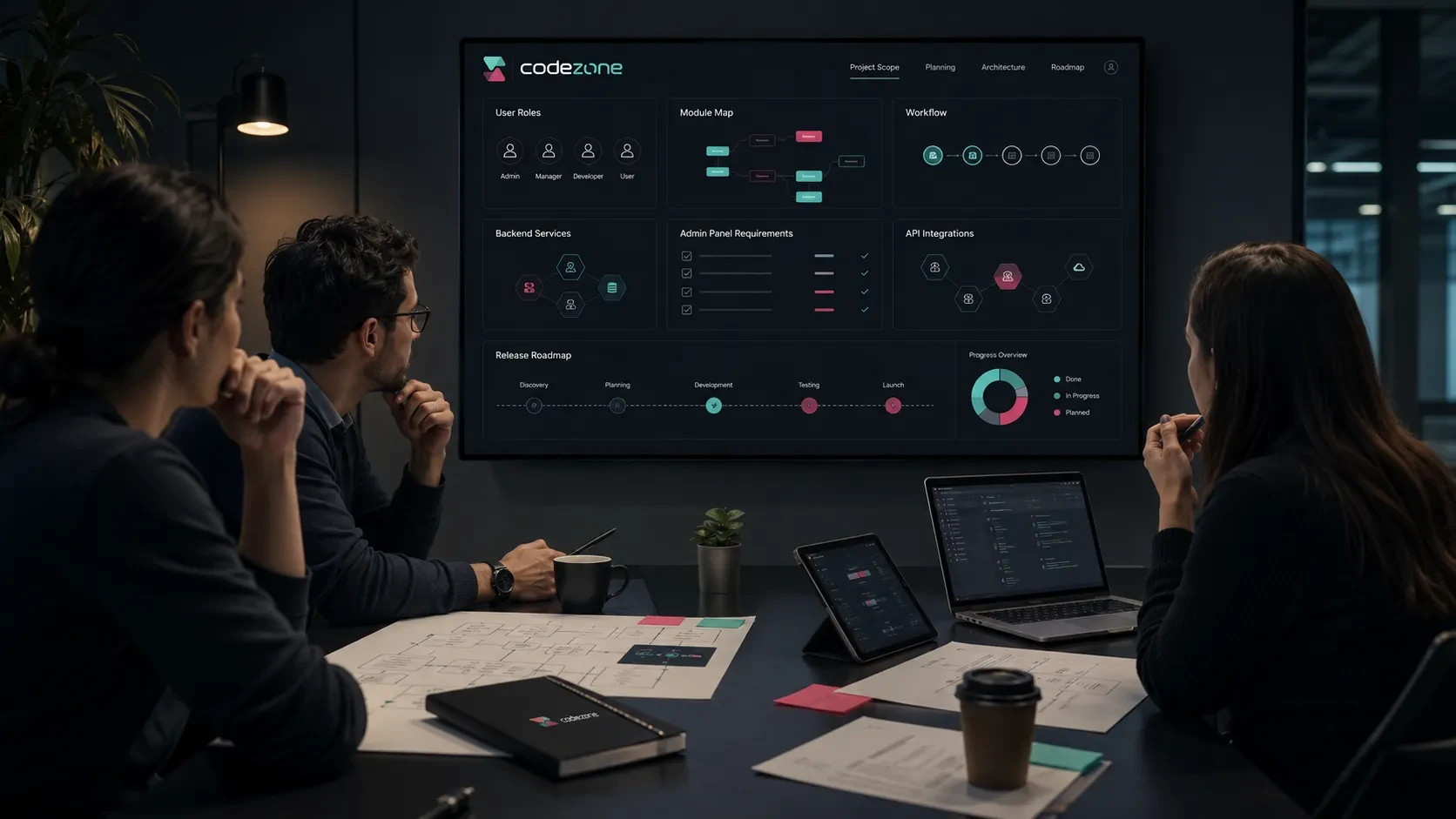
A custom software project usually begins with a clear business need: simplifying repetitive internal work, moving customer processes into a digital environment, bringing disconnected tools together, or making an existing operation easier to track and measure.
Even when the initial need seems clear, the complete project scope is rarely defined at the very beginning.
Statements such as “we need an admin panel,” “customers should be able to log in,” “orders should be tracked,” or “our team should manage everything from one place” provide a useful starting point, but they are not yet enough to define a software project.
In custom software, scope should be clarified through business workflows, user roles, data structures, permissions, integrations, and post-launch operations before focusing on the number of screens.
A well-defined scope does not necessarily make the project smaller. It makes it clearer which parts should be developed, in what order, at which stage, and for what purpose.
Once this structure is established, budget, timeline, technical architecture, the first release, and later phases can be planned more realistically.
Define the Main Business Workflow the Software Will Support
Custom software scope should begin with the question “Which business workflow are we moving into the software?” rather than “Which features should we build?”
A company may be planning software for areas such as:
Order management
Dealer operations
Customer requests
Appointment processes
Inventory and warehouse tracking
Service records
Quote preparation
Field teams
Training processes
Application and approval workflows
Internal team tasks
Reporting and management tracking
The objective is to understand how the existing process works and then structure it inside the software in a way that is easier to manage, track, and develop over time.
How Is the Main Workflow Defined?
At the beginning of the project, questions may include:
Where does the process begin?
Who creates the first record?
Which information is entered?
Which team sees the record?
Is there an approval stage?
Which statuses does the process move through?
Which notifications are sent to the user?
Which data needs to be reported?
Where does the process end?
For example, a service-request workflow might look like this:
Customer creates a request → Central team reviews it → Request is assigned to the relevant team → Field team updates the status → Customer is informed → Request is completed → Reporting data is generated
Defining screens before this workflow is clear can create gaps later.
Every screen supports an action, every action works with data, and every data point is connected to a permission structure.
The workflow therefore provides the foundation for the rest of the project scope.
User Roles Should Be Separated From the Beginning
One of the most important scope decisions in a custom software project is identifying who will use the system.
Will every user see the same screens?
Which actions can each user perform?
Which information should each role be able to access?
The screen structure, authorization model, and admin panel cannot be planned accurately until user roles are defined.
Common User Roles
Depending on the project, roles may include:
System Administrator
Operations Team
Sales Team
Finance User
Customer
Dealer
Field Team
Internal Team Member
Approver
Reporting User
Each role has different needs.
An administrator may need visibility across the entire system.
Operations teams may manage daily records and statuses.
Finance users may access payment and invoice information.
Customers may only see their own records.
Dealers may access custom prices and order information.
Field teams may focus only on the tasks assigned to them.
The Difference Between Roles and Permissions
A role defines the user’s general position within the system.
A permission determines which specific actions that user can perform.
For example, Operations Team may be a role.
Permissions attached to that role might include:
View requests
Change request status
Add notes to a user
Upload files
Update orders
View reports
Separating roles and permissions correctly creates a software structure that is easier to manage and expand as the organization grows.
Modules Should Be Grouped Around Business Workflows
Module lists are often treated as the main definition of project scope.
However, modules should be determined after the primary workflows and user roles are understood.
A custom software product may contain modules such as:
User management
Customer management
Request management
Order management
Product or service management
Inventory management
Appointment management
Document management
Notifications
Reporting
Settings
Integration management
Admin panel
The objective is not to turn every possible requirement into a separate module.
Each module should represent a meaningful business area that the company genuinely needs to manage through the software.
How Should First-Release Modules Be Selected?
Modules for the first release can be prioritized by asking:
Is this module required for the core workflow?
Will users need it from the first day?
Can the internal team operate without it?
Is another critical module dependent on it?
Would adding it later require a major architectural change?
For example, a system designed to manage customer requests may initially need user management, request management, status tracking, notifications, and basic reporting.
Advanced segmentation, detailed dashboards, AI-assisted recommendations, or automated task assignment can be planned for later phases.
This keeps the first version focused while leaving room for controlled product growth.
Data Structure Forms the Backbone of the Project
Screens are the visible side of custom software.
The underlying data structure is what allows those screens and workflows to operate consistently.
The team should define which information needs to be stored, who can update it, and how different records relate to one another.
Areas to Define in the Data Structure
Depending on the system, data may include:
User information
Customer information
Product or service records
Order or request records
Status information
Dates and activity history
Files
Payment or invoice information
Notification records
Logs
Reporting data
For example, in a dealer portal, dealer accounts, dealer users, price lists, products, orders, and payment information all work together.
If these relationships are not structured correctly, the system becomes increasingly difficult to manage as it grows.
You can explore how these relationships are structured in a B2B environment in our guide on where companies should start when building a dealer portal.
Data Does More Than Store Information
Data also controls how the software behaves.
For example:
When an order status changes, the customer can receive a notification.
When a user role changes, access permissions can be updated.
When inventory falls below a threshold, the system can create an alert.
When payment is completed, a service can become active.
When a request is closed, the result can be reflected in reporting.
For this reason, the data model is one of the areas that should be clarified early in the technical planning process.
Admin Panel Scope Should Reflect Daily Operations
The admin panel is often one of the most important parts of a custom software product because it is where the company team manages the system.
It should be designed as an operational workspace rather than simply as a collection of record lists.
A well-structured panel helps teams manage daily work, make decisions, and follow processes consistently.
Areas That May Be Included in the Admin Panel
Depending on the project, the panel may include:
Dashboard
Users
Customers
Requests
Orders
Appointments
Products
Documents
Notifications
Reports
Settings
Integration controls
Permission management
Every project does not need all of these areas.
The admin panel should be shaped around the company’s actual operational workflow.
For a more detailed look at panel architecture, you can read our guide on which modules should be planned when building an admin panel.
What Should Be Visible at First Glance?
A useful dashboard should help users understand where their attention is needed.
It should be built around operational priorities rather than filled with unrelated cards.
For example, a service-management system might show:
New requests
Open tasks
Records waiting for assignment
Today’s field tasks
Delayed operations
Completed requests
Recent activity
This turns the dashboard from a passive reporting page into a workspace that supports daily decisions.
Integrations Can Significantly Affect Project Scope
Integrations can have a major impact on custom software scope.
A connection that initially sounds simple may require data mapping, security, error management, synchronization logic, and extensive testing.
Integration requirements should therefore be identified early.
Common Integrations
Custom software may need connections with:
ERP systems
CRM platforms
Accounting software
E-invoicing systems
Payment infrastructure
SMS services
Email services
Shipping systems
Map services
Calendar systems
File storage
Analytics tools
For every integration, the project should answer questions such as:
Which system provides the data?
Which platform is the primary source?
Does data move in one direction or both directions?
Does synchronization happen in real time?
What happens when an error occurs?
What information should be shown to the user?
Should integration status be visible in the admin panel?
You can read more about the role of connected systems in our guide on what API integration is and what it offers companies.
An integration should therefore be defined beyond the statement that two systems “will be connected.”
The team needs to know which data moves, in which direction, under which rules, and how exceptions will be managed.
The First Release and Later Phases Should Be Planned Separately
Including every requirement in a single development phase may appear attractive at the beginning of a custom software project.
A clearer approach is to separate the first release from later phases.
The first release should allow the core business workflow to operate in production.
Later phases can then be shaped by user feedback, operational experience, and product data.
Areas That May Belong in the First Release
The initial version may include:
Core user roles
Primary business workflow
Critical modules
First version of the admin panel
Essential notifications
Required integrations
Basic reporting
Security and authorization
Launch preparation
Areas That May Be Planned for Later Phases
Later versions may include:
Advanced reporting
Automation
Personalization
Additional integrations
Mobile applications
Multilingual support
Campaign or segmentation tools
AI-assisted features
More detailed role management
Separating these phases helps use the project budget more deliberately while creating room for the product to evolve based on real usage.
We discuss the same first-release principle in more detail for mobile products in our guide on how to define the scope of a mobile app’s first release. The same principle applies to custom software: establish the core workflow first, then continue development in controlled phases.
Project Scope Also Makes the Proposal Process Clearer
One of the main reasons custom software proposals can vary significantly is uncertainty around scope.
The same high-level idea can represent very different amounts of design, development, integration, testing, and operational work.
For example, the term customer portal alone does not define enough scope.
Important questions include:
Will users log in?
Will documents be shared?
Will customers see payment information?
Can they create support requests?
Will there be an ERP integration?
Which modules will the admin panel contain?
Without these details, different project proposals cannot be compared effectively.
Information Worth Sharing Before Requesting a Proposal
Useful project information may include:
Project objective
User types
Main process to be managed
Required modules
Existing systems
Integration expectations
Example screens or references
Essential first-release requirements
Expectations for later phases
Target launch period
This allows the software team to understand the project more accurately.
The proposal can then become a project recommendation connected to real scope rather than simply an estimated price.
Codezone’s Approach
At Codezone, we define custom software scope around workflows before screen counts.
The main requirement is usually not simply to create a group of screens. It is to make a specific business operation more structured, traceable, and easier to develop over time.
At the beginning of a project, we define user roles, core workflows, data relationships, admin requirements, integrations, and the first-release scope together.
Once these areas are clear, both the visible product experience and the technical architecture behind it can be planned around the same system.
This creates a product process where the team has a clearer understanding of what will be developed, in which order it will progress, and which technical foundation will support future growth.
Conclusion
Clarifying project scope before beginning a custom software project creates a stronger starting point for both the company and the development team.
When the main workflow, user roles, modules, data structure, admin panel, integrations, first release, and later phases are considered together, the project can be planned more realistically.
Scope definition is a core part of creating a controlled development process.
With a clear scope, user workflows can be structured more effectively, internal teams receive better management tools, and the software gains an architecture that can continue evolving over the long term.
Frequently Asked Questions
What does scope mean in a custom software project?
Project scope includes the user roles, business workflows, modules, screens, data structure, admin panel, integrations, and first-release features that will be included in the software.
What information should be prepared before commissioning custom software?
It is useful to prepare the project objective, target users, processes to be managed, required modules, existing systems, integration expectations, and the essential features needed in the first release.
Why should the first-release scope be defined separately?
The first release is the initial version that supports the product’s core workflow. Instead of developing every possible feature at once, the main value is launched first and later development can be shaped around real usage.
Does every custom software project need an admin panel?
An admin panel is generally required when an internal team needs to manage users, records, orders, requests, content, or reporting. Its scope should be determined according to the operational requirements of the project.
Do integrations affect project scope?
Yes. Connections with ERP, CRM, payment, accounting, shipping, SMS, email, and other external systems can directly affect project duration, technical architecture, testing requirements, and development scope.