
What Is API Integration? What Does It Offer Companies?

API integration allows companies to connect different software systems and create faster, more consistent, and manageable data flows across their digital operations.
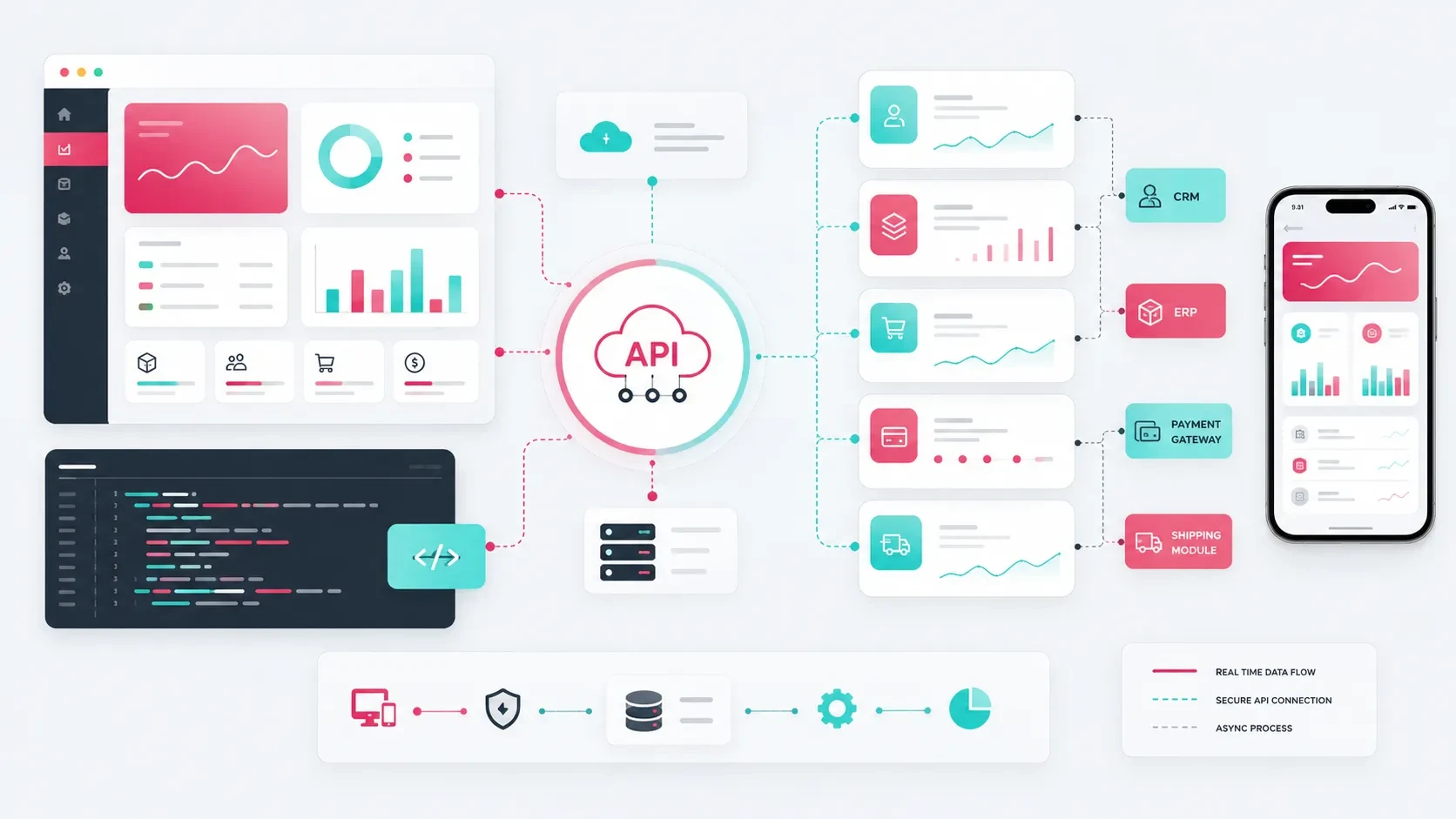
API integration is the technical connection that allows different software systems to exchange data and work together.
A website, mobile application, admin panel, CRM, ERP, payment provider, shipping infrastructure, or accounting platform can all communicate through APIs.
APIs create structured and secure communication between applications. Data generated in one system can be transferred to another according to predefined rules, allowing teams to work with connected information instead of repeatedly entering the same data across different platforms.
For example, when an order is placed on an e-commerce website, order data may need to reach the admin panel, payment infrastructure, shipping provider, accounting system, and CRM.
API integrations make these workflows possible.
For companies, API integration creates a software foundation that reduces manual work, improves data consistency, supports faster operations, and allows digital products to work together with existing business systems.
API Integration Creates Structured Data Flows Between Systems
Different teams within a company often work with different software platforms.
The sales team may use a CRM, operations may work through an ERP system, finance may use accounting software, while customers interact with a website or mobile application.
Without integration, teams may need to transfer the same information manually between these systems.
API integration allows data to move between them in a structured way.
Examples of data that can be exchanged through APIs include:
Customer records
Order information
Product information
Inventory levels
Invoice information
Payment status
Shipping tracking information
Appointment records
Form submissions
Subscription information
User activity
For example, a quote request submitted through a website can automatically be added to the CRM.
An order created through an e-commerce website can be transferred to the ERP.
Profile information updated in a mobile application can become visible in the admin panel.
When these flows are planned correctly, the company’s digital systems begin working as a connected environment rather than as isolated tools.
API Integration Reduces Manual Work
One of the most practical benefits of API integration is reducing repetitive operational work.
Many business processes depend on transferring information from one system to another.
Teams may need to copy order information, recreate customer records, update payment statuses, or manually prepare invoice data.
API integration can turn these repetitive tasks into automated workflows.
For example:
A form submission can be added automatically to the CRM.
Order information can be sent to the ERP.
Order status can be updated after a successful payment.
A shipping tracking number can be delivered to the customer.
Invoice information can be transferred to accounting software.
A new user can automatically appear in the admin panel.
Subscription status can be reflected in the mobile application.
Inventory updates can automatically appear on the e-commerce website.
These workflows allow teams to spend less time on repetitive data entry and more time on work that requires human evaluation.
The sales team can access new inquiries more quickly, operations can follow orders more easily, and finance teams can manage payment and invoicing processes through a more organized structure.
The value of integration becomes even more visible as the company grows.
When order volume, user numbers, and customer requests increase, manual workflows become harder to maintain. Connected systems create a more scalable operational foundation.
API Integration Connects CRM and ERP Systems
CRM and ERP platforms often sit at the center of a company’s business operations.
A CRM manages customer relationships and sales processes, while an ERP may manage products, inventory, orders, manufacturing, finance, or operational data.
When a website, e-commerce platform, mobile application, or customer portal can communicate with these systems, the digital experience becomes much more closely connected to the company’s real operations.
A CRM integration may support workflows such as:
Saving website form submissions directly to the CRM
Updating customer information
Creating sales opportunities
Tracking lead sources
Building customer segments
Assigning tasks to the sales team
An ERP integration may support:
Retrieving product information
Updating inventory
Transferring orders
Managing price lists
Reading customer account information
Supporting invoice and delivery-note workflows
For example, customer-specific prices on a B2B e-commerce platform may come directly from the ERP.
When the customer creates an order, that order can be transferred back to the ERP, while customer information is updated in the CRM.
This allows the e-commerce platform to work as part of the company’s existing sales and operational infrastructure.
For a broader look at this type of commerce architecture, you can read our guide on how to plan a B2B e-commerce website.
API Integration Connects E-Commerce, Payment, and Shipping Processes
API integration plays a central role in modern e-commerce systems.
A customer adds a product to the cart, completes a payment, creates an order, follows the shipment, and receives invoice information.
Many of these steps require different systems to communicate with one another.
Common e-commerce integrations include:
Payment infrastructure
Shipping providers
Inventory systems
ERP
Accounting software
E-invoicing systems
SMS services
Email services
Campaign systems
Analytics platforms
Consider what happens after a successful payment.
The payment provider communicates the result to the e-commerce platform. The order status is updated. A shipment may be created through the shipping integration. The tracking number is associated with the order and communicated to the customer. Invoice information may then be transferred to the accounting system.
These processes may happen across several independent services, but the customer experiences them as a single order journey.
When the integrations work correctly, both customer experience and business operations become easier to manage.
Customers can follow their orders more clearly, while company teams gain visibility into payment, shipping, invoicing, and order status within a connected workflow.
For a more detailed look at the purchasing journey, you can read our guide on how to design the cart and checkout flow on an e-commerce website.
API Integration Strengthens Mobile and Web Applications
Mobile applications and web applications frequently communicate with backend systems through APIs.
When users sign in, update their profile, create an order, schedule an appointment, receive a notification, or access content, API connections often support the data exchange behind those actions.
In a mobile application, APIs may manage areas such as:
User authentication
Profile information
Product or content lists
Orders and appointments
Notification preferences
Subscription status
Payment information
User activity
Data synchronization with the admin panel
Consider an appointment application.
The user views available time slots, books an appointment, and receives a notification.
The backend manages the appointment data, while the mobile application, admin panel, and notification service communicate through APIs.
Web applications use a similar architecture.
Customer portals, dealer platforms, SaaS products, and admin systems often rely on APIs to connect the user interface with the data and business logic behind the product.
For a deeper look at how this architecture works in mobile products, you can read our guide on why a mobile app needs a backend.
API Integration Supports Admin Panels and Reporting
API integrations can significantly expand what an admin panel is able to manage.
An admin panel can become more than an environment for editing content. It can act as a central workspace where teams monitor users, orders, requests, payments, reports, and system settings.
Through APIs, the admin panel can retrieve data from external systems or send information back to them.
Possible use cases include:
Retrieving customer data from a CRM
Retrieving inventory information from an ERP
Reading transaction status from a payment provider
Retrieving tracking information from a shipping service
Monitoring email delivery status
Retrieving performance data from analytics platforms
Sending notifications to a mobile application
Managing user permissions through the backend
This gives teams visibility into more processes from one environment.
For operational digital products in particular, API integrations can turn the admin panel into a central control point for the company’s digital infrastructure.
For a more detailed look at admin architecture, you can read our guide on which modules should be planned when building an admin panel.
API Integrations Should Be Planned at the Beginning of the Project
API integration should not be treated as an independent technical task added after the rest of the product has already been developed.
When integration requirements are identified during the early stages, the data model, user flows, backend architecture, and admin panel can all be designed around the real system relationships.
Important questions include:
Which systems need to be connected?
What data needs to be transferred?
Which system will be the primary source of each data type?
Will data flow in one direction or both directions?
Will updates happen in real time or at scheduled intervals?
How will errors be monitored?
Which teams need access to integration data?
Which controls should appear in the admin panel?
How will security and access rules be defined?
The answers help define the technical scope of the project.
For example, if product information comes from an ERP, the project needs to determine which product fields can still be edited from the e-commerce admin panel.
If an order originates from the e-commerce website and is transferred to the ERP, the timing of that transfer and the process for handling failures need to be defined.
The same principle applies to customer records, payments, inventory, documents, appointments, and other business data.
A clear integration plan establishes which system communicates with which service, where the data is stored, and how teams can manage the process.
Codezone’s Approach
At Codezone, we approach API integrations as the infrastructure that creates reliable, secure, and sustainable data flows between a company’s digital products and its existing business systems.
We begin by evaluating the systems already used by the company, the primary data sources, operational workflows, and integration requirements.
From there, we plan the API architecture, data flows, security structure, error handling, and admin panel controls as part of the same product architecture.
This allows websites, mobile applications, e-commerce platforms, customer portals, and admin panels to work together with existing systems.
Company teams can manage information through a more structured environment, users experience smoother digital journeys, and the product gains a technical foundation that can continue evolving as new requirements emerge.
Conclusion
API integration allows companies to connect different software systems and create faster, more structured, and more manageable data flows.
CRM, ERP, payment infrastructure, shipping providers, accounting software, e-invoicing systems, mobile applications, web applications, and admin panels can all communicate through APIs.
This reduces repetitive manual work, strengthens data consistency, and gives teams greater visibility into operational processes.
When API integrations are planned correctly, a digital product becomes more than an isolated interface.
It becomes part of a connected software infrastructure that works together with the company’s existing business processes.
Frequently Asked Questions
What is API integration?
API integration is the technical connection that allows different software systems to exchange data. Websites, mobile applications, CRM, ERP, payment, shipping, and accounting systems can all communicate through APIs.
Why do companies need API integration?
Companies use API integrations to transfer data between systems, reduce manual work, accelerate customer and order processes, and create greater operational visibility across their digital products.
Which systems can be connected through APIs?
CRM, ERP, accounting software, payment providers, shipping systems, e-invoicing platforms, SMS and email services, mobile applications, web applications, customer portals, and analytics tools can all be connected through APIs.
Why is API integration important for e-commerce?
E-commerce platforms depend on connected product, inventory, order, payment, shipping, and invoicing processes. API integrations allow these systems to exchange information and operate within a more structured workflow.
Should API integrations be planned at the beginning of a project?
Yes. When integration requirements are defined early, the data model, admin panel, backend architecture, security, and error-handling processes can be designed around the actual systems that need to work together.